Skip to content
Magento 2 extension · Conversion

Dynamic Cart Progress

Turn free-shipping and reward thresholds into a live progress bar.

  • Mini Cart and Cart page
  • Tiered rewards, not just free shipping
  • Shows the earned coupon code, ready to copy
  • Reads Magento's totals, never changes them
Price
US$29.99 + free Hyvä add-on
Version
1.0.2
Status
Available
Approved on Adobe Commerce Marketplace Version 1.0.2 passed Adobe's code checks, manual QA and listing review, October 2026.
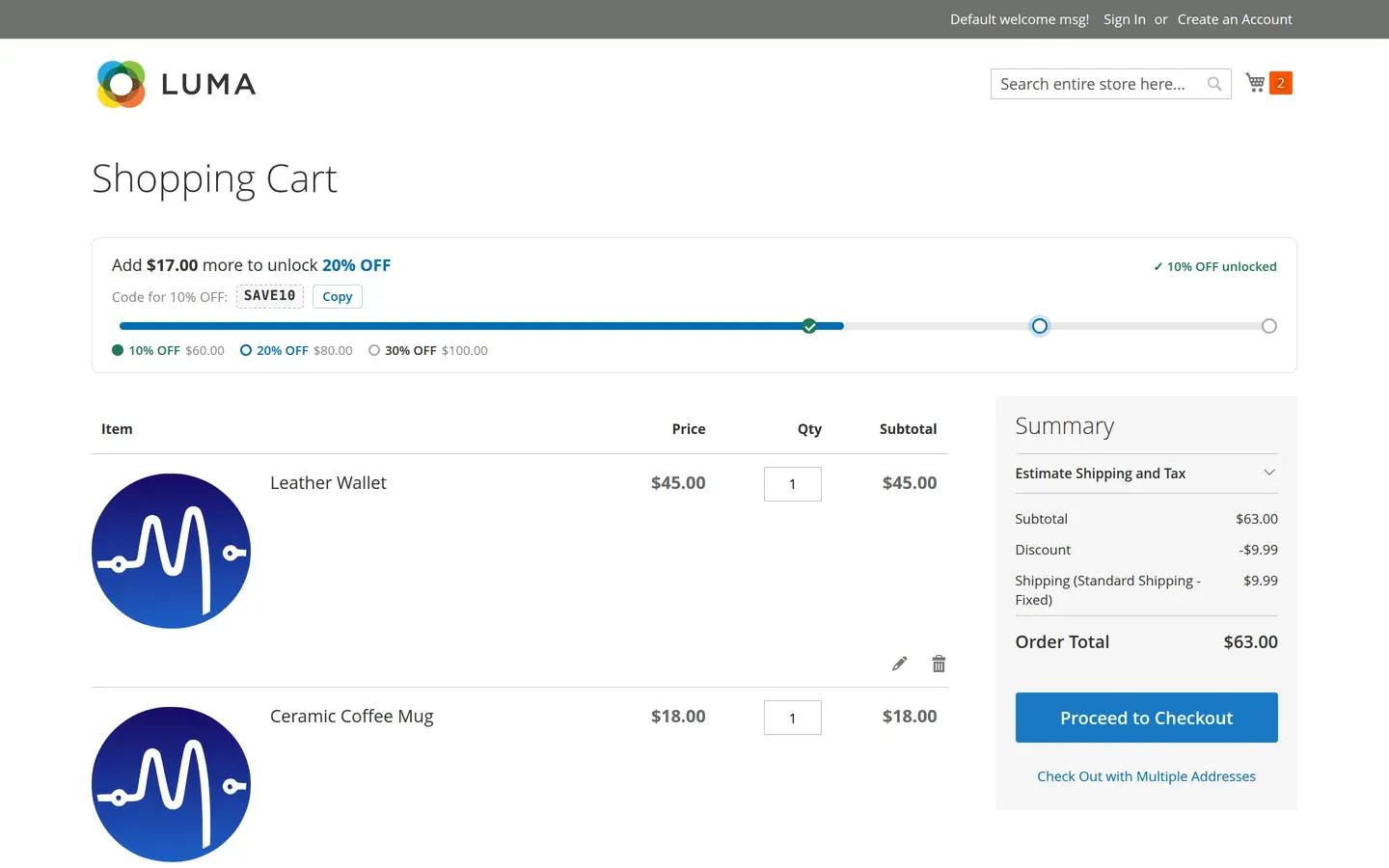
Luma cart page with the reward bar: Add $17.00 more to unlock 20% OFF, 10% OFF unlocked with code SAVE10 and a Copy button

Why it matters

Shoppers stop just short of your free-shipping threshold.

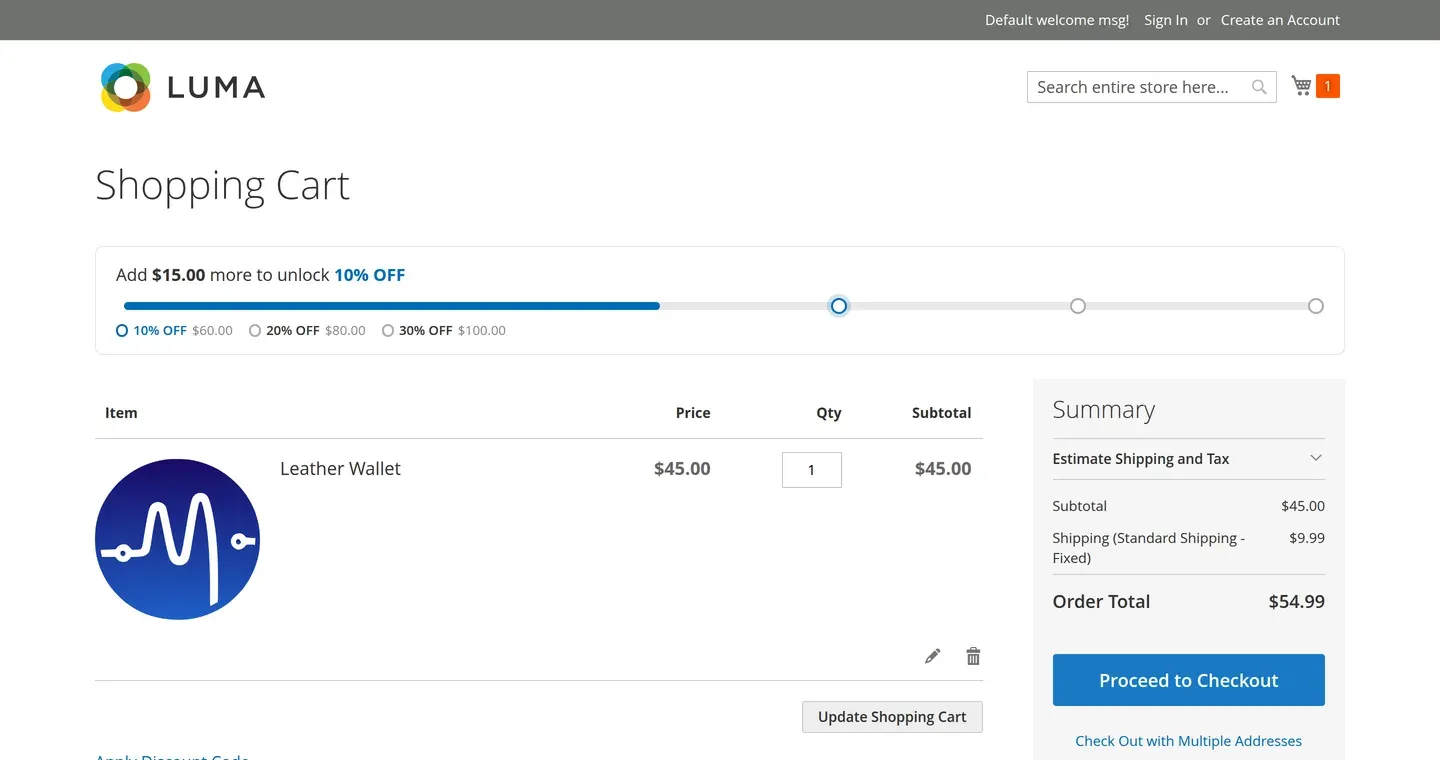
You set up free shipping at $80 or 10% off at $100, but most shoppers never know how close they are. A cart at $63 checks out at $63. Dynamic Cart Progress shows them exactly how far they are from the next reward, right in the cart, so adding one more item becomes the obvious choice.

Features

What Dynamic Cart Progress does

Right where shoppers look before they pay

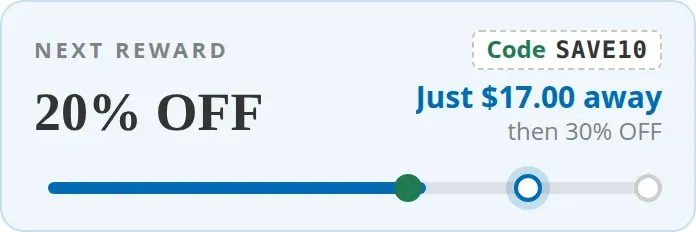
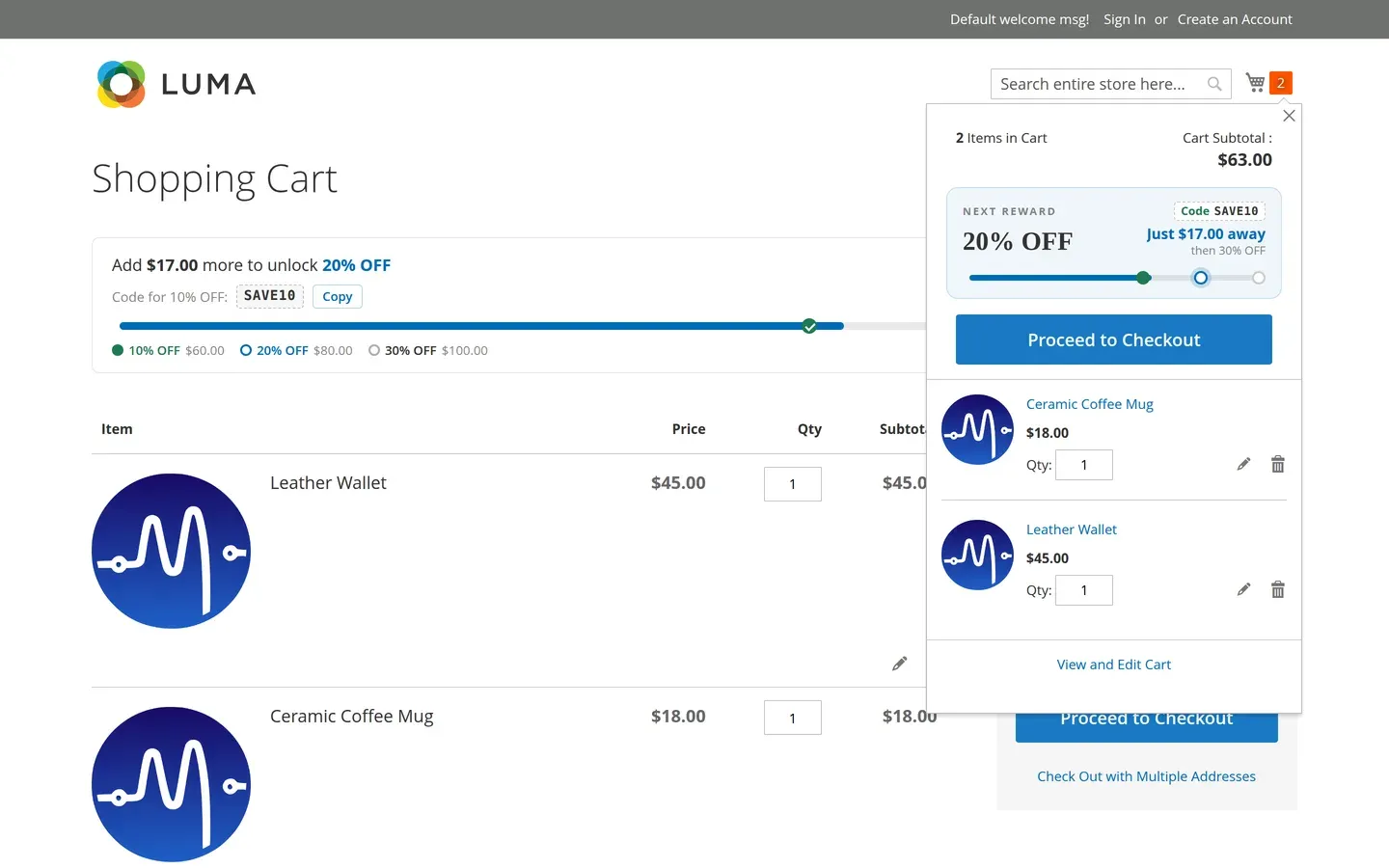
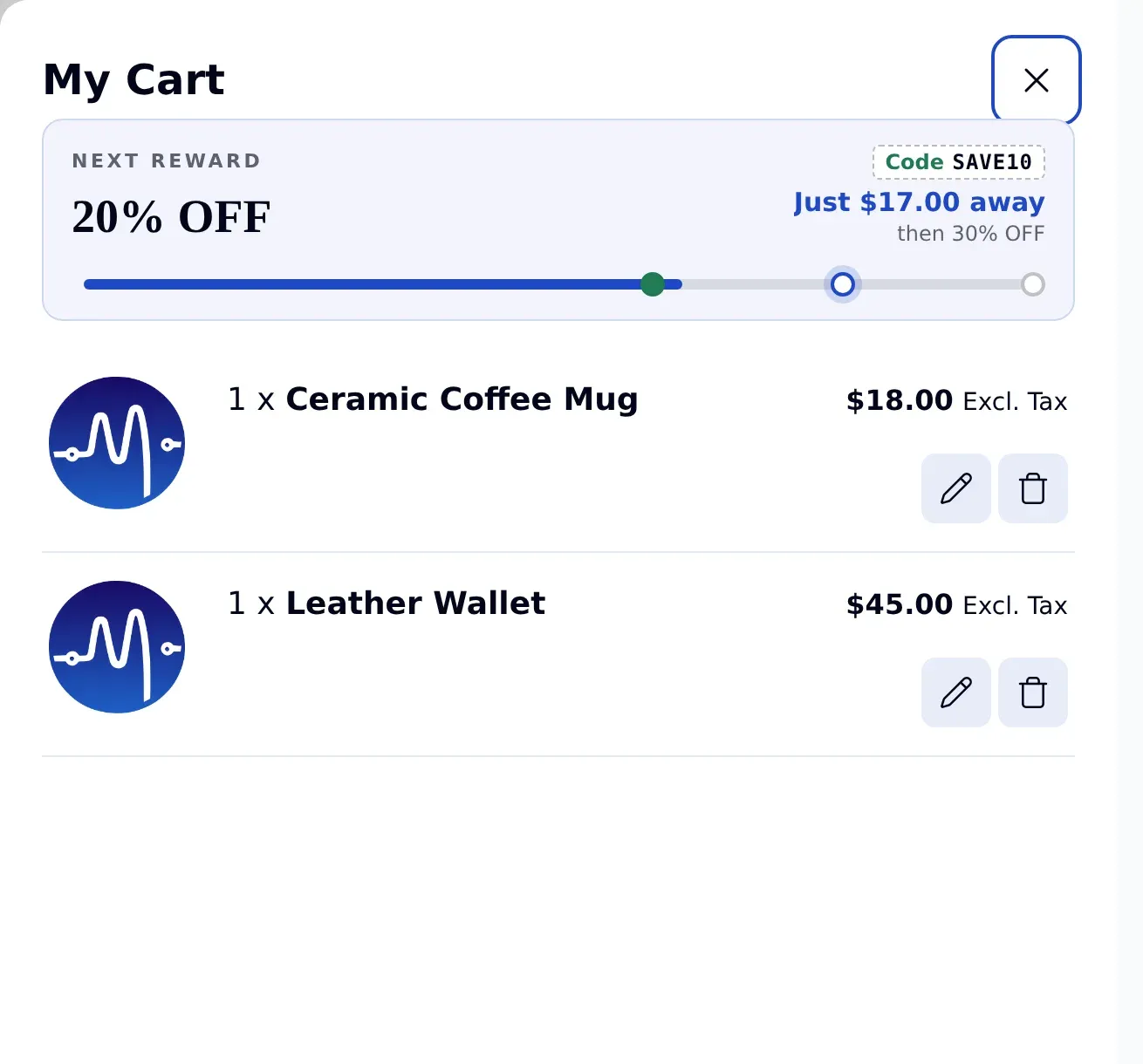
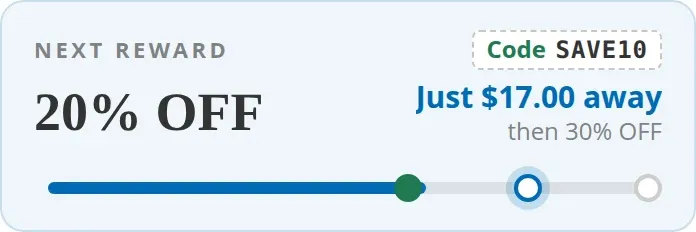
The Mini Cart card shows the next reward and how much more to spend, at a fixed height, so it never pushes the cart items down. Once a reward is earned, its coupon code appears in the card and copies with one click.
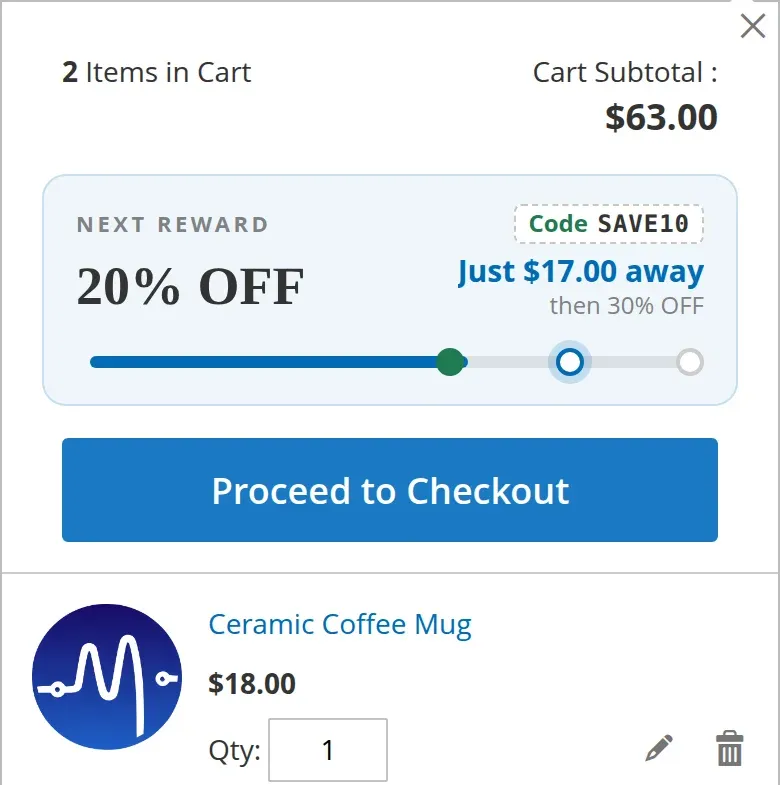

Luma mini cart with the reward card: 20% OFF, just $17.00 away, then 30% OFF, the earned code SAVE10 and a progress bar

One clear line on the Cart page

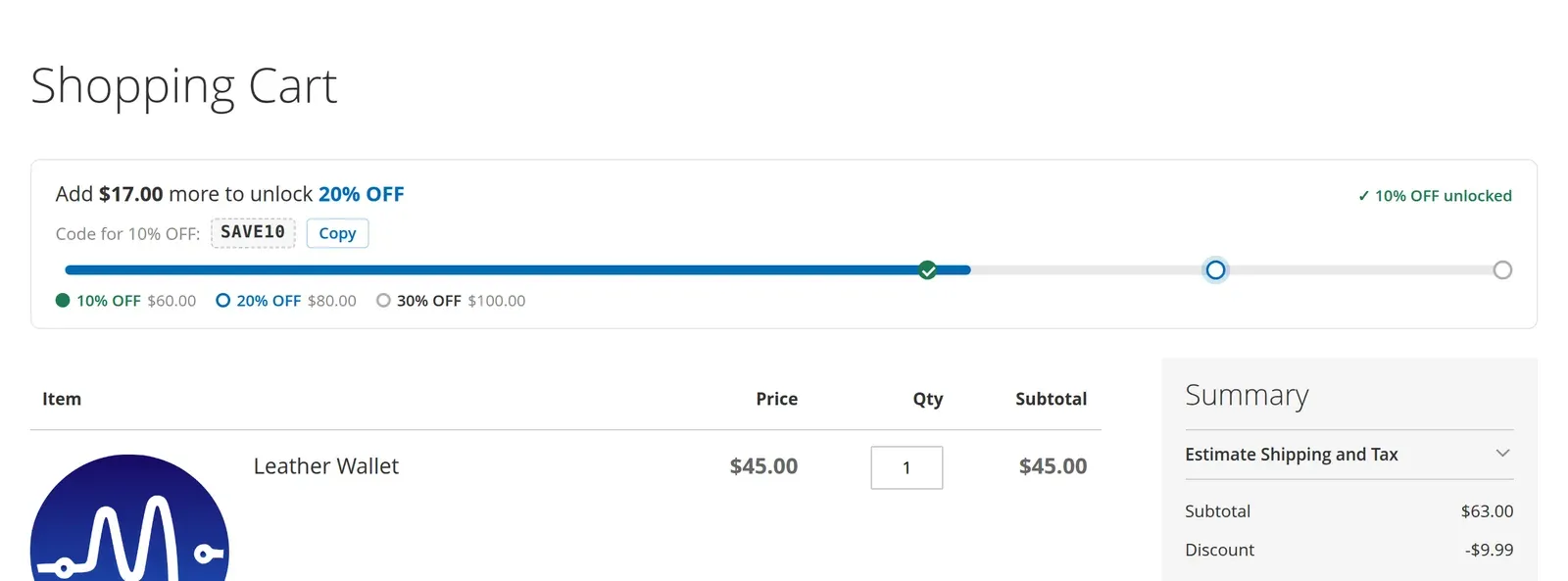
Above the cart items, one sentence says what to do next: Add $17.00 more to unlock 20% OFF. The bar and the reward tiers sit right under it, and an earned code comes with a Copy button. It uses your store's own font.

Cart page reward bar: Add $17.00 more to unlock 20% OFF, 10% OFF unlocked, code SAVE10 with a Copy button, and the tiers 10% OFF at $60, 20% OFF at $80, 30% OFF at $100

Above the items or in the Order Summary

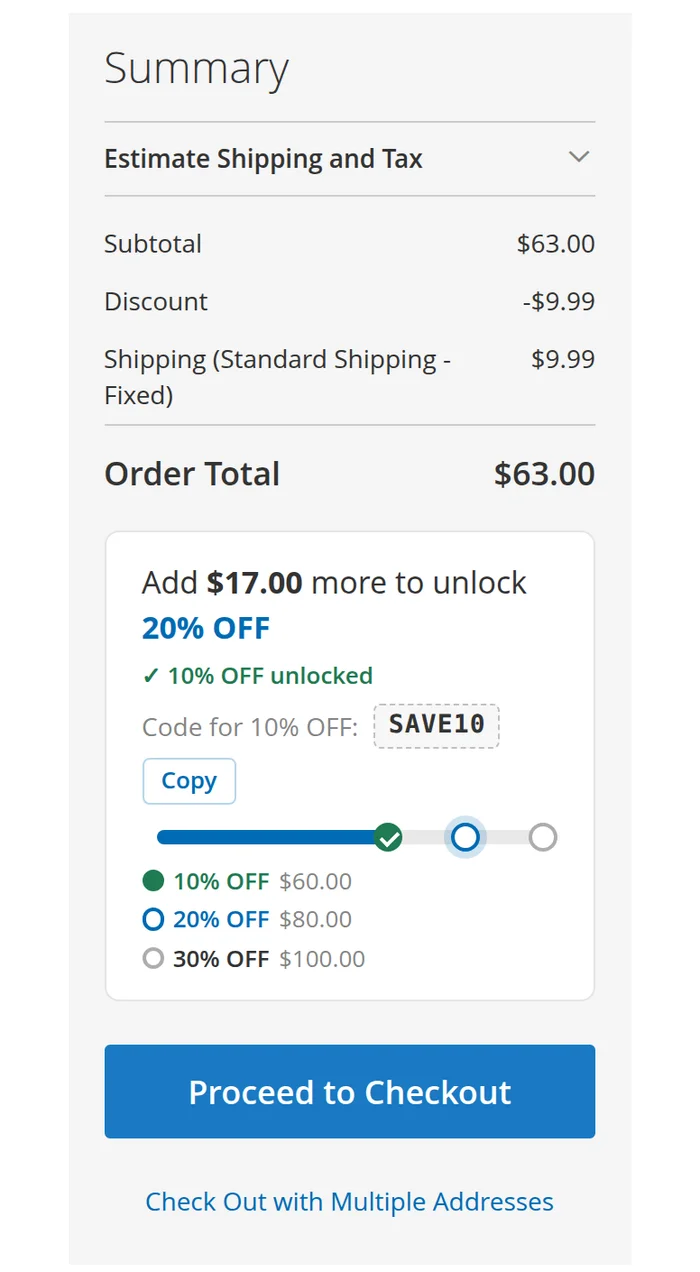
A Cart Page Position setting puts the bar where it fits your theme: above the cart items, at the top of the Order Summary, or below the totals, right above Proceed to Checkout. It works on Luma and Hyvä, with no layout code.

Luma Order Summary with the reward bar below the Order Total and above Proceed to Checkout: Add $17.00 more to unlock 20% OFF, code SAVE10 with a Copy button

Native on Hyvä

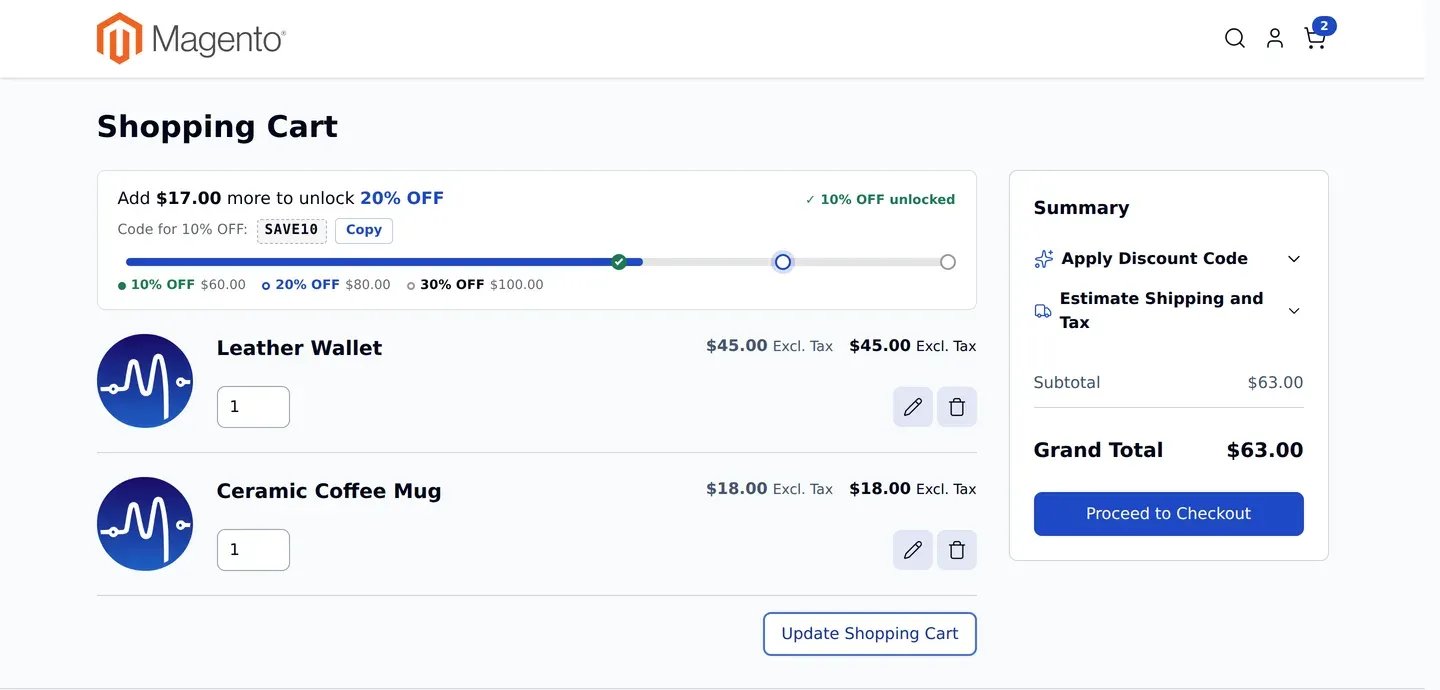
The free Hyvä add-on shows the same card in the Hyvä cart drawer and the same bar on the Cart page, built with Alpine.js and reading the same server-side data as Luma, so the numbers always match.

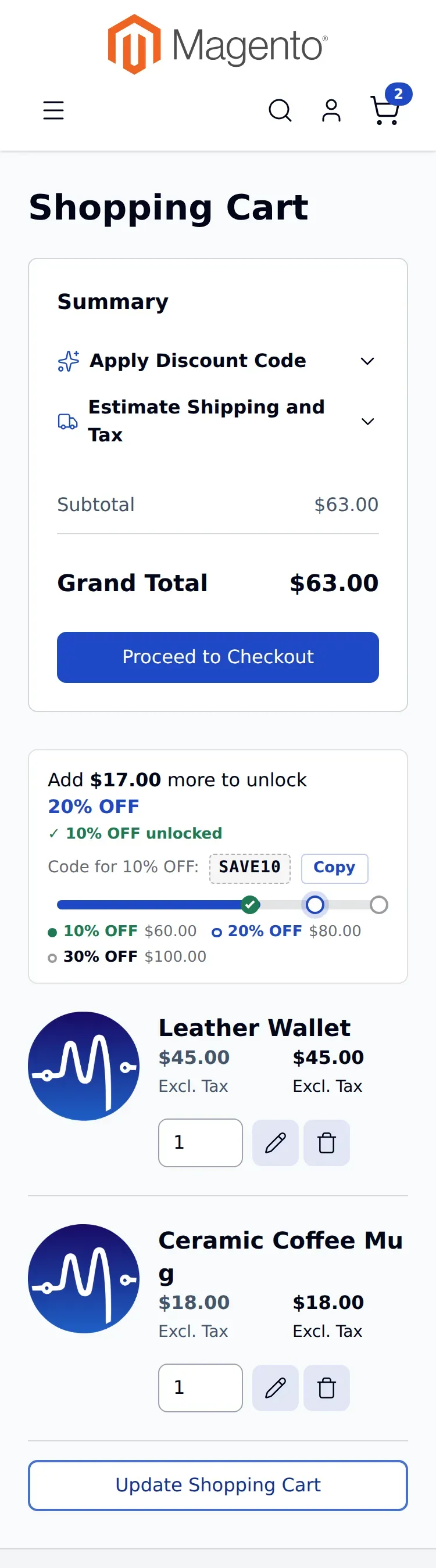
Hyvä cart page with the same reward bar: Add $17.00 more to unlock 20% OFF

Designed for phones

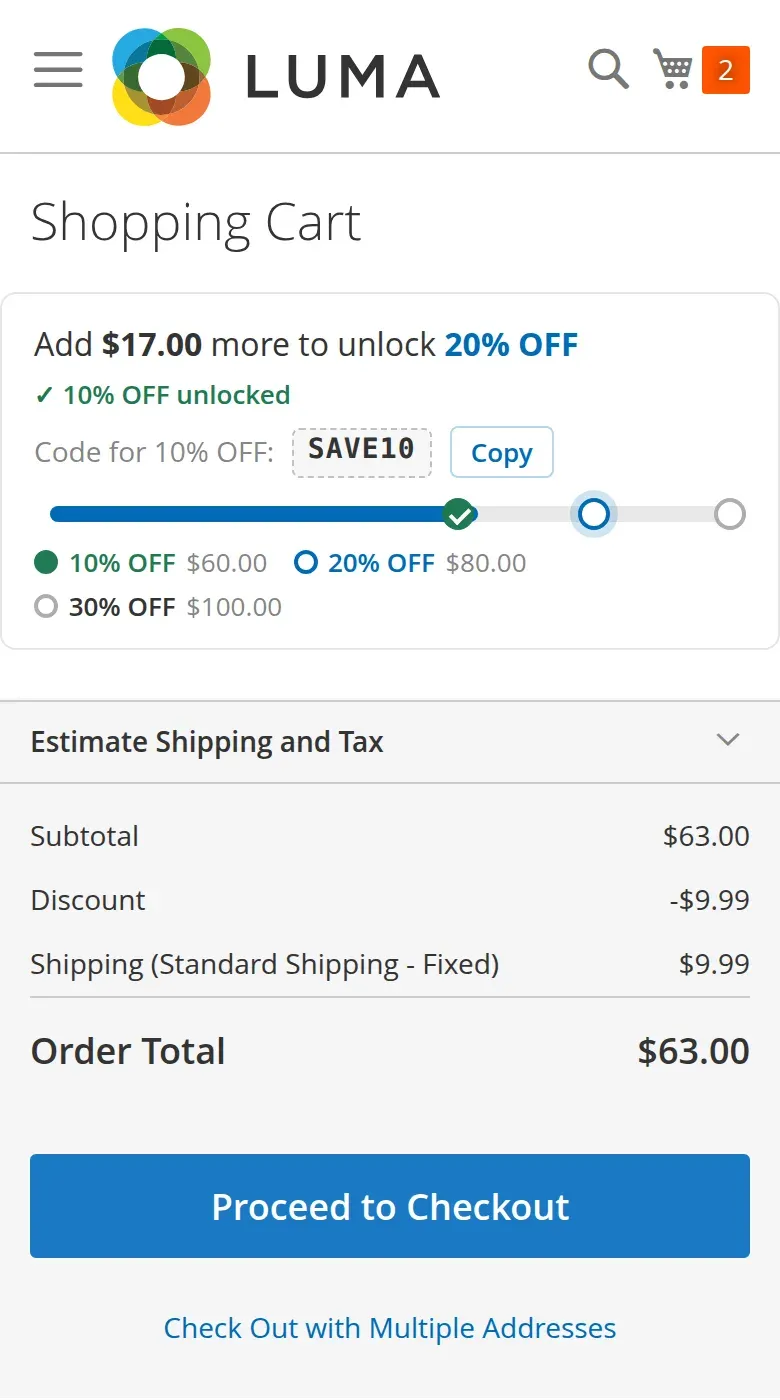
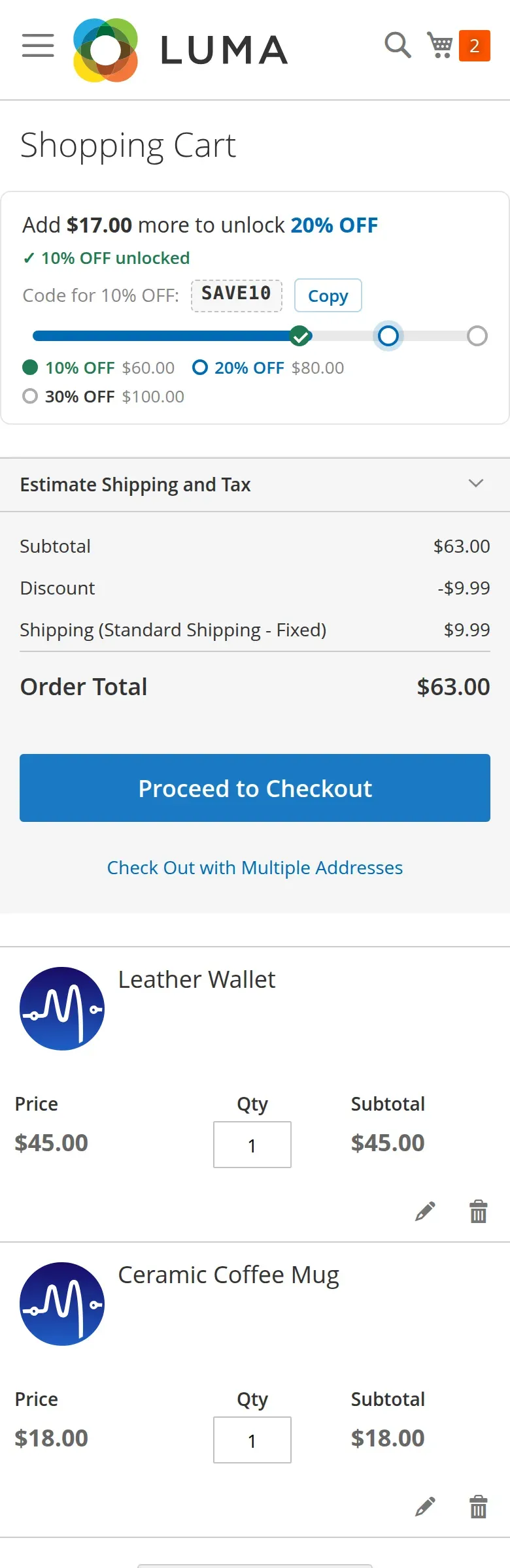
On small screens the sentence and the reward tiers wrap cleanly, and the Mini Cart card keeps its height. Motion respects reduced-motion settings.

Luma cart on a phone showing the reward sentence, the code with a Copy button, the bar and the reward tiers

Set-up

Campaigns you control

Everything is set in Marketing › Dynamic Cart Progress › Campaigns. Changes are live as soon as you save.

  • Milestones and rewards

    Add as many milestones as you need, each with a target amount, a reward label and an optional completion message.

  • Reward codes, revealed when earned

    Add a coupon code to a milestone and shoppers see it, with a Copy button, only after they reach it. An unearned code is never sent to the browser.

  • Targeting

    Choose the websites and customer groups each campaign is for, with an optional start and end date.

  • Priority

    Run several campaigns. When more than one applies, the priority you set decides which one shoppers see.

  • How progress is counted

    Measure the subtotal with or without tax, and before or after discounts, per campaign.

  • Four progress styles

    Segmented bar, linear marker, step indicator or simple fill, chosen per campaign. See them side by side below.

Progress styles

Pick the look that fits your store

Each campaign uses one of four styles, on the Cart page and in the Mini Cart. Only the look changes; the rewards and the amounts stay the same.

Segmented Bar

A bar to scale with a dot for each reward.

Best for Most stores. The default.

Segmented Bar on the Cart page
Cart page
Segmented Bar in the Mini Cart
Mini Cart

Linear Marker

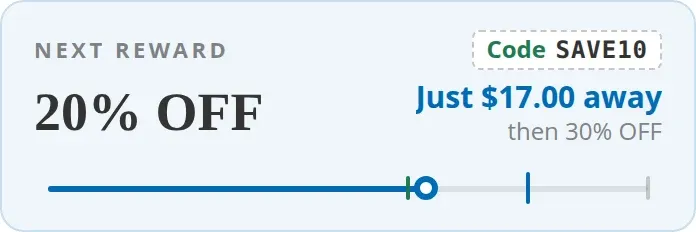
A thin line with a tick for each reward and a pin with the cart total.

Best for Showing the cart total on the way.

Linear Marker on the Cart page
Cart page
Linear Marker in the Mini Cart
Mini Cart

Step Indicator

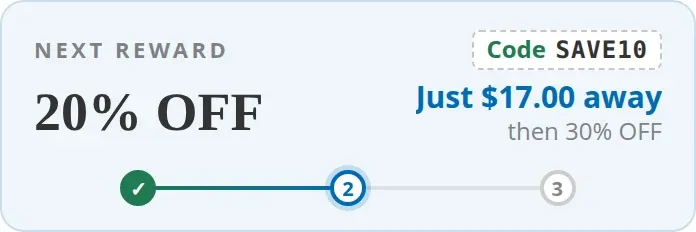
Evenly spaced numbered steps, like a checkout progress bar.

Best for Three or four big rewards.

Step Indicator on the Cart page
Cart page
Step Indicator in the Mini Cart
Mini Cart

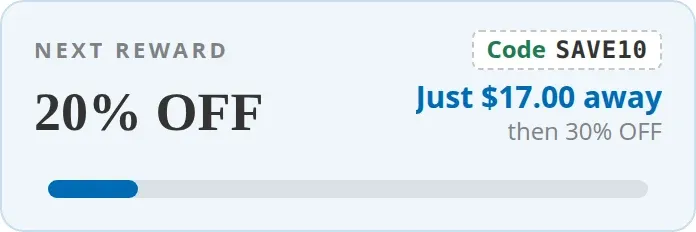
Simple Fill

One bar that fills toward the next reward.

Best for One goal, such as free shipping.

Simple Fill on the Cart page
Cart page
Simple Fill in the Mini Cart
Mini Cart

Screenshots

See it on real stores

Real screenshots from Magento 2.4.9 test stores. Click any image to enlarge it.

How it works

Live in three steps

  1. Install

    Add the core module with Composer. On a Hyvä store, add the free Hyvä package too.

  2. Create a campaign

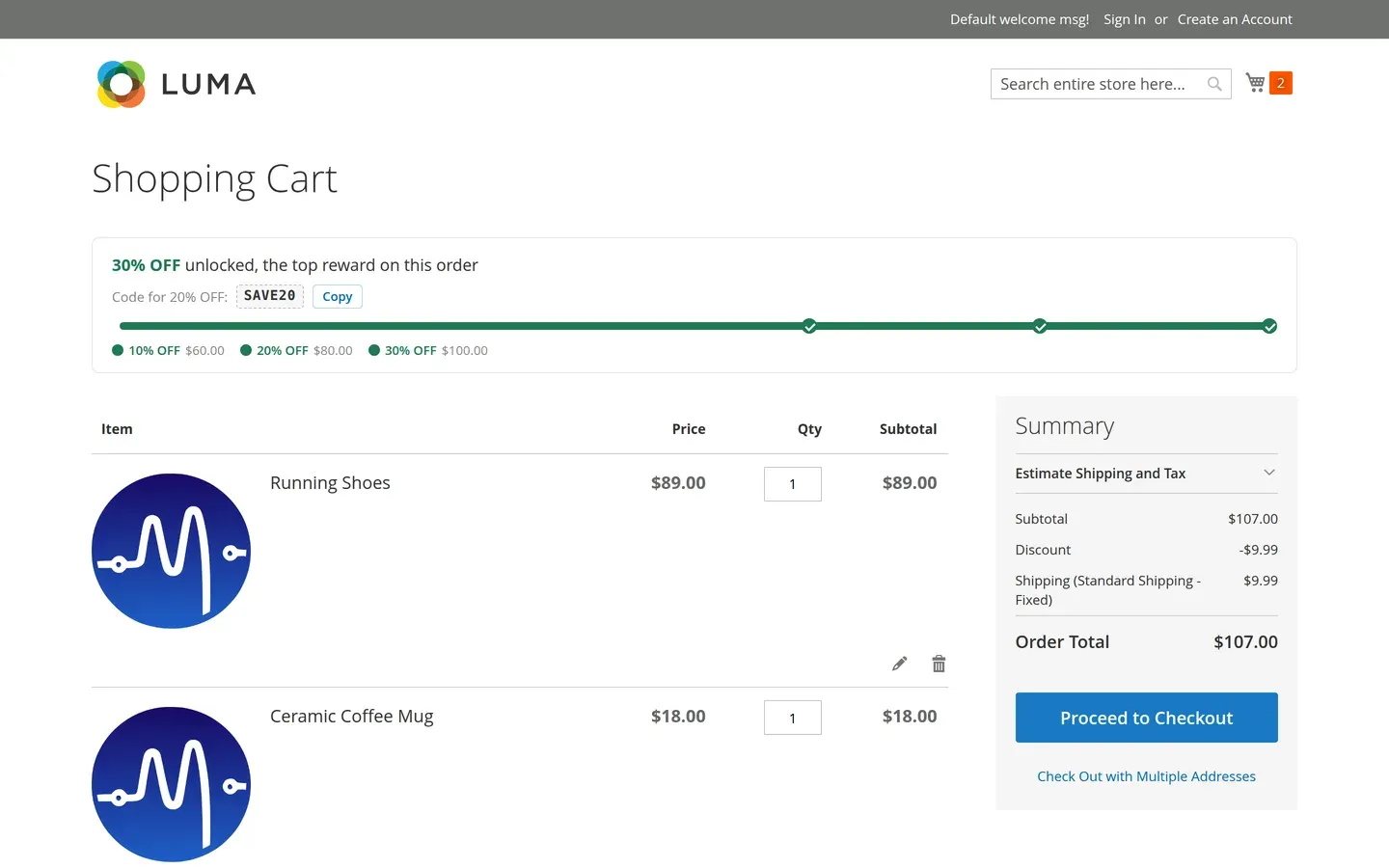
    Add your milestones, for example 10% off at $60, 20% at $80 and 30% at $100, and pick where it shows.

  3. Shoppers see their progress

    The Mini Cart and Cart page update on every cart change: add, remove, quantity, coupon, shipping estimate or currency switch.

What it does, and what it leaves to Magento

Dynamic Cart Progress tells shoppers about your rewards. Magento's own Cart Price Rules still decide and apply them.

It does

  • Show progress toward each reward
  • Show the earned reward code, ready to copy
  • Follow every cart change automatically
  • Respect tax and discount settings per campaign

It doesn't

  • Apply discounts (use Cart Price Rules for that)
  • Convert targets between currencies
  • Run cart calculations in the browser
  • Add a custom cache type

Compatibility

Works with your stack

We only claim what we've tested. Where something is expected to work but wasn't tested, we say so.

Dynamic Cart Progress compatibility
PlatformSupportNotes
Magento Open Source 2.4.8 – 2.4.9 Verified on 2.4.9; 2.4.8 runs the same code
Adobe Commerce 2.4.8 – 2.4.9 Expected compatible, not independently tested
PHP 8.3, 8.4, 8.5 Verified on 8.3; tests pass on 8.4 and 8.5
Luma theme Supported Mini Cart and Cart page, included in the core module
Hyvä theme Supported Mini Cart and Cart page, verified on the Hyvä default theme (free Hyvä add-on)
Multi-currency Per website Targets use each website's base currency; no exchange-rate conversion

Installation

Install with Composer

After you buy, the Adobe Commerce Marketplace gives you access keys for repo.magento.com. Then run:

  1. Core module

    composer require mageenv/module-dynamic-cart-progress
  2. Hyvä stores only: add the free Hyvä package

    composer require mageenv/module-dynamic-cart-progress-hyva
  3. Enable it

    bin/magento setup:upgrade && bin/magento cache:flush

    In production mode, also run setup:di:compile and setup:static-content:deploy.

FAQ

Questions merchants ask

Does it apply the discount for me?

No. It shows progress and reward messages. The actual discount or free shipping is applied by Magento's Cart Price Rules, set up the way you already do. Add the rule's coupon code to the milestone if you want shoppers to see it once they qualify.

Can I offer something other than a discount?

Yes. The reward label is free text, so a milestone can be free shipping, a free gift, gift wrap or anything else your store offers.

Which progress style should I choose?

Segmented Bar suits most stores. Step Indicator works well for three or four big rewards, Simple Fill for a single goal such as free shipping, and Linear Marker when you want the cart total shown on the bar. You can switch at any time; only the look changes.

Can I show the bar in the Order Summary instead?

Yes. In Stores › Configuration › MageEnv › Dynamic Cart Progress › Display, set Cart Page Position to Above Cart Items, Order Summary: Top or Order Summary: Below Totals. It can differ per store view. Hyvä stores need the Hyvä add-on 1.0.2 or later.

What if I run more than one campaign?

Each campaign has a priority, optional dates, websites and customer groups. When several apply, the priority you set decides which one shoppers see.

How does it handle different currencies?

Targets are measured in the base currency of each website. A target of 100 means $100 on a USD website and €100 on a EUR website. To use different amounts, create a campaign per currency.

Will it slow down my store?

It uses Magento's own customer-data mechanism. Each refresh runs one small database query, and no cart maths runs in the browser.

Do I need the Hyvä package?

Only if your store uses the Hyvä theme. Install the free Hyvä package in addition to the core module. Luma stores need only the core module.

Changelog

Release history

  1. v1.0.2 Latest
    • New Cart Page Position setting: above the cart items, at the top of the Order Summary, or below the totals
    • Step Indicator: long reward names wrap instead of overlapping, and narrow spaces show numbered steps with the reward list underneath
    • Luma on phones: the Cart page bar keeps the page side margin
  2. v1.0.1
    • New compact design on Luma and Hyvä: one line, one bar and the reward tiers on the Cart page
    • Mini Cart reward card at a fixed height
    • The four progress styles now look clearly different
    • Earned reward codes shown to shoppers with a Copy button
    • Milestone completion messages shown on the Cart page
    • Better layout on phones
  3. v1.0.0
    • Campaigns with milestones, rewards, priority, dates, websites and customer groups
    • Mini Cart and Cart page progress for Luma
    • Hyvä add-on (Alpine.js) for the Mini Cart and Cart page
    • Four progress styles
    • Reward codes revealed only once earned
    • Tax and discount options per campaign

Documentation

A 28-page user guide covers installation, campaign set-up, milestones, reward codes and every setting. Dynamic Cart Progress User Guide (PDF)

Support

Email support from the developers who wrote the code. We reply within 1 business day. info@mageenv.com