Skip to content
Magento 2 extension · Conversion

Total Savings

Show shoppers exactly how much they're saving, right where they decide to buy.

  • Cart page and Checkout
  • Luma and Hyvä
  • Reads Magento's own totals, never changes them
  • No custom AJAX on checkout
Price
US$25.99 + free Hyvä add-on
Version
1.2.0
Status
Coming soon
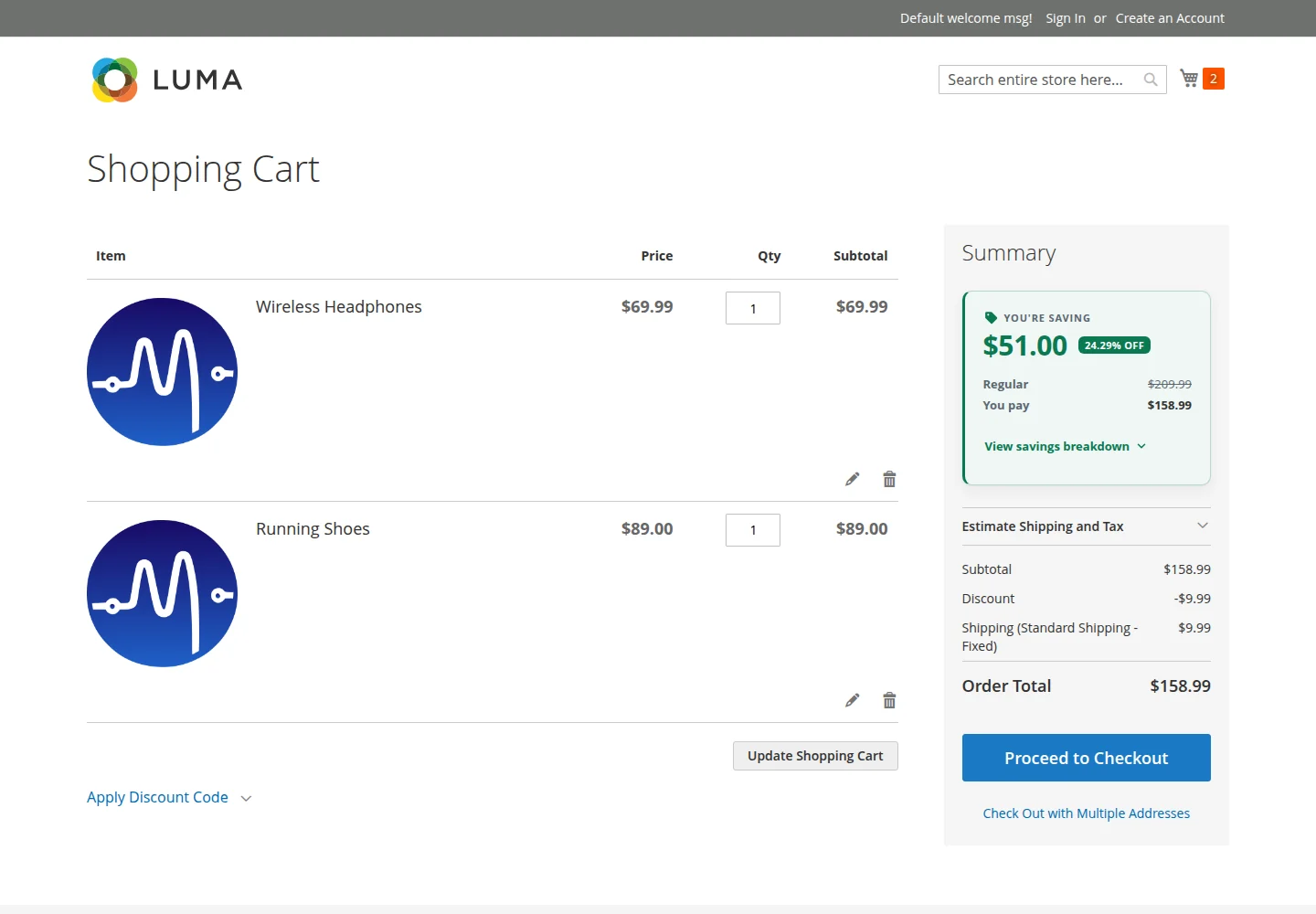
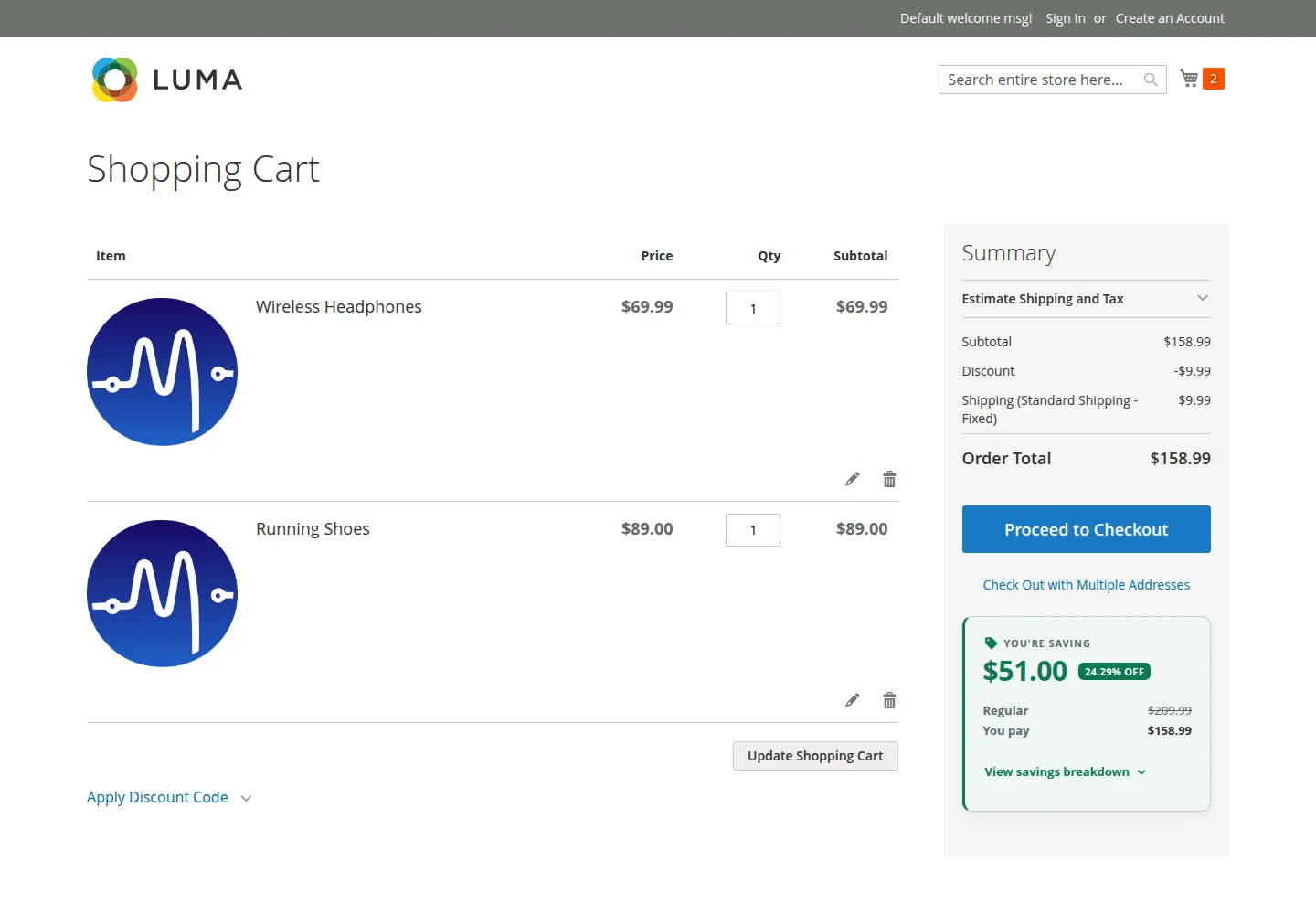
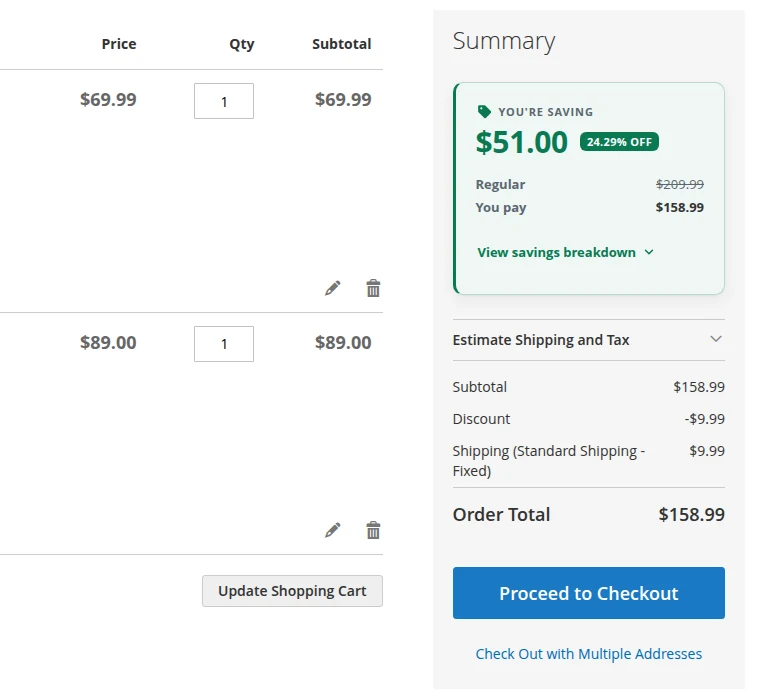
Luma cart page with the Total Savings card showing $51.00 saved, 24.29% off, regular price $209.99 and you pay $158.99

Why it matters

Your discounts are working. Your shoppers just can't see them.

Special prices, catalog rules, tier prices and coupons all lower the cart total, but Magento shows them as separate lines, if at all. Shoppers see a total, not a deal. Total Savings turns everything they've saved into one number they can't miss, at the moment they decide whether to check out.

Features

What Total Savings does

One savings number, impossible to miss

The savings amount leads the card, with a compact % OFF badge and a struck-through Regular price next to what they actually pay. It sits inside the order summary, so it explains the totals instead of competing with them.
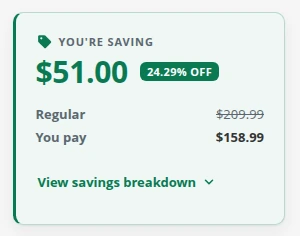
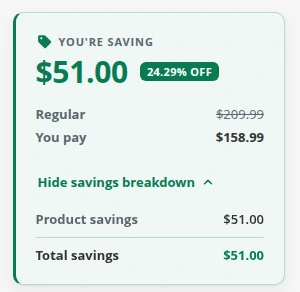
Close-up of the savings card: You're saving $51.00, 24.29% off, Regular $209.99, You pay $158.99

A breakdown shoppers can trust

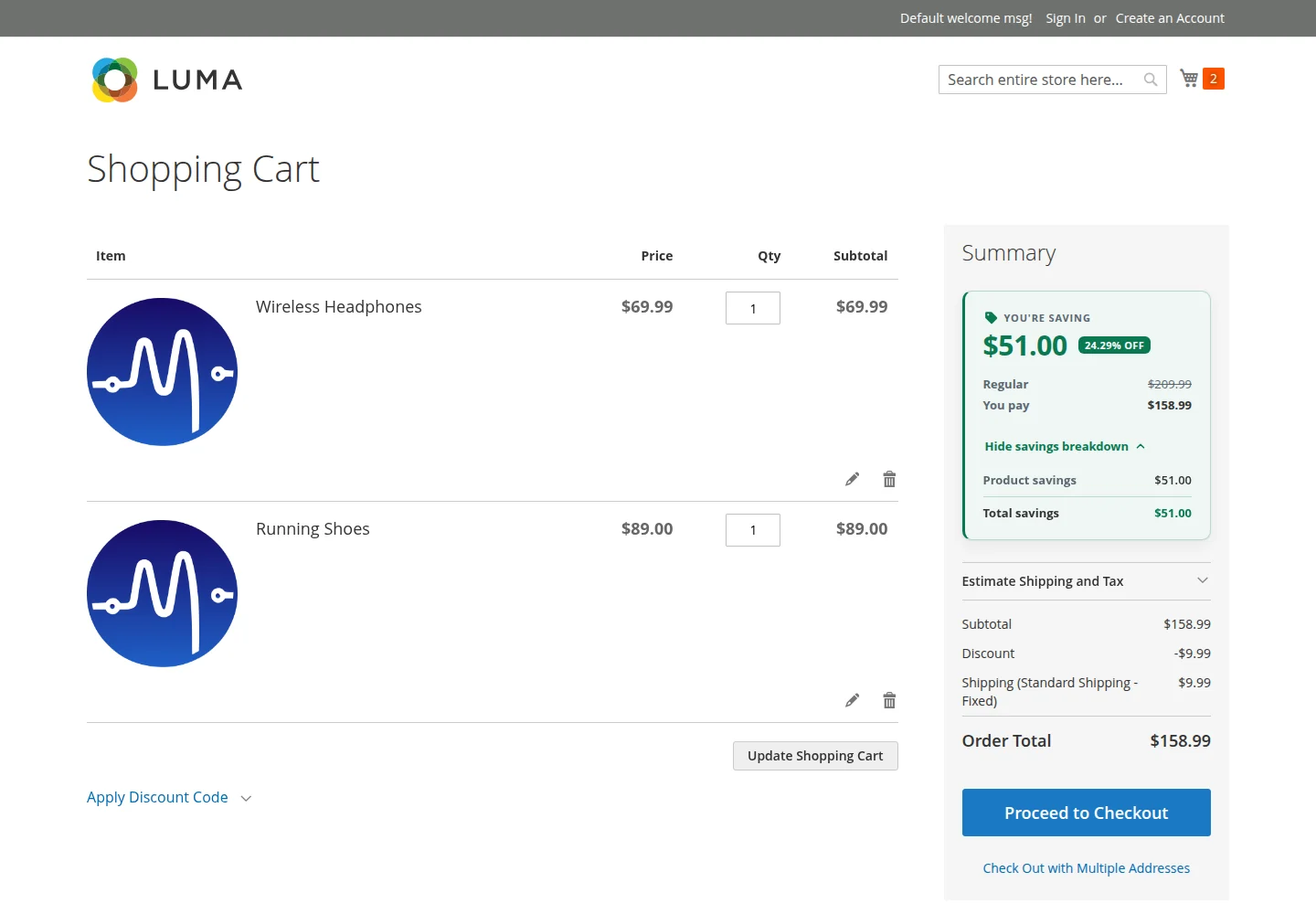
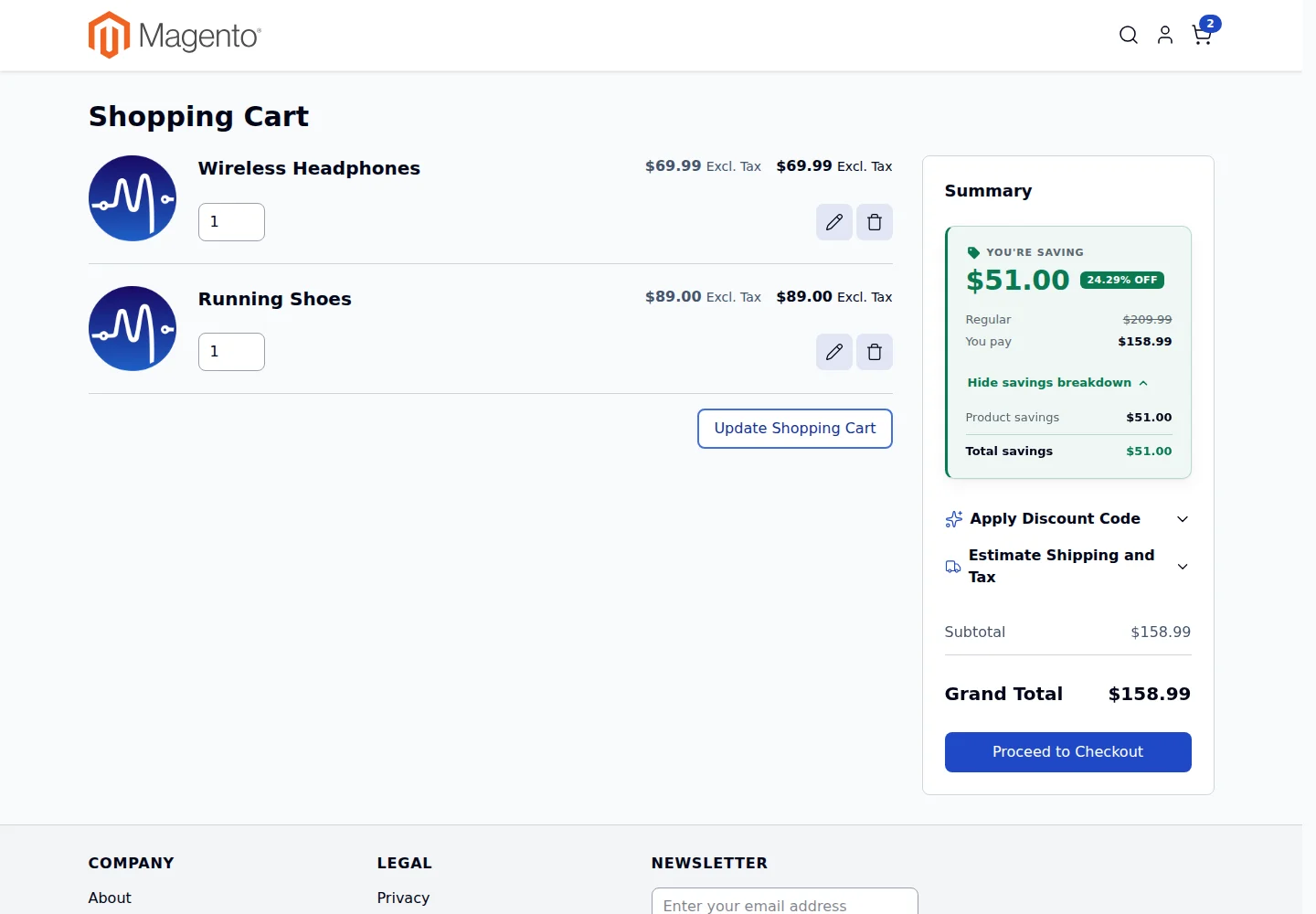
One click opens where the savings came from: product savings, cart and coupon discounts, and shipping savings if you choose to count them. It's a real disclosure button with keyboard and screen reader support.

Savings card with the breakdown open, listing product savings $51.00 and total savings $51.00

Follows them into Checkout

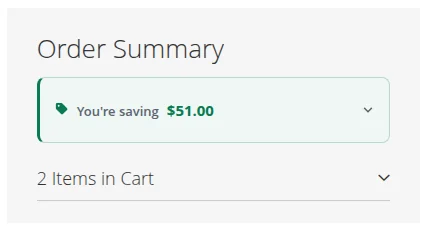
A compact one-line card stays at the top of the checkout order summary. On mobile, where Luma folds the summary away, a slim strip keeps the message visible. It never blocks order placement and adds no custom AJAX calls.

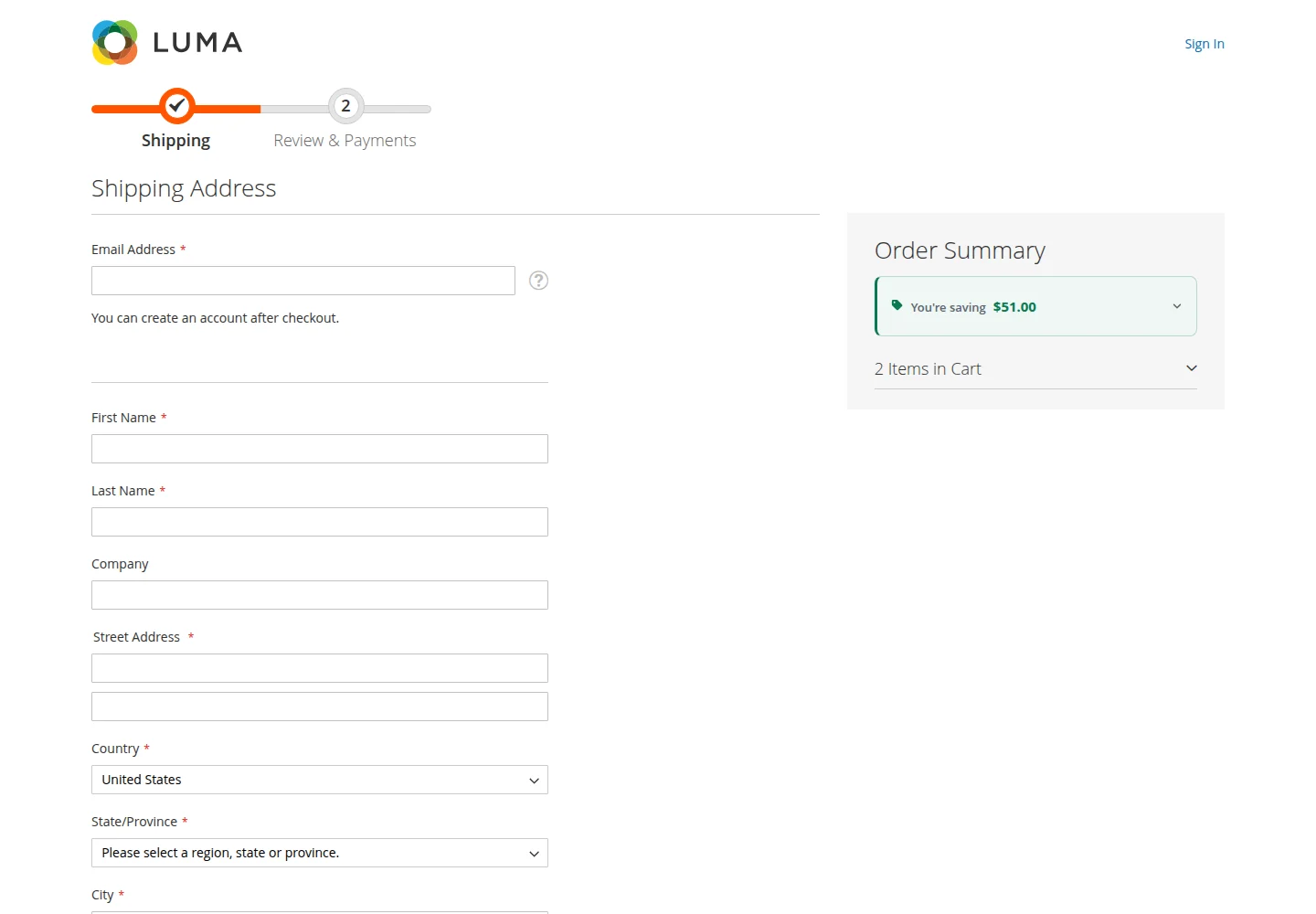
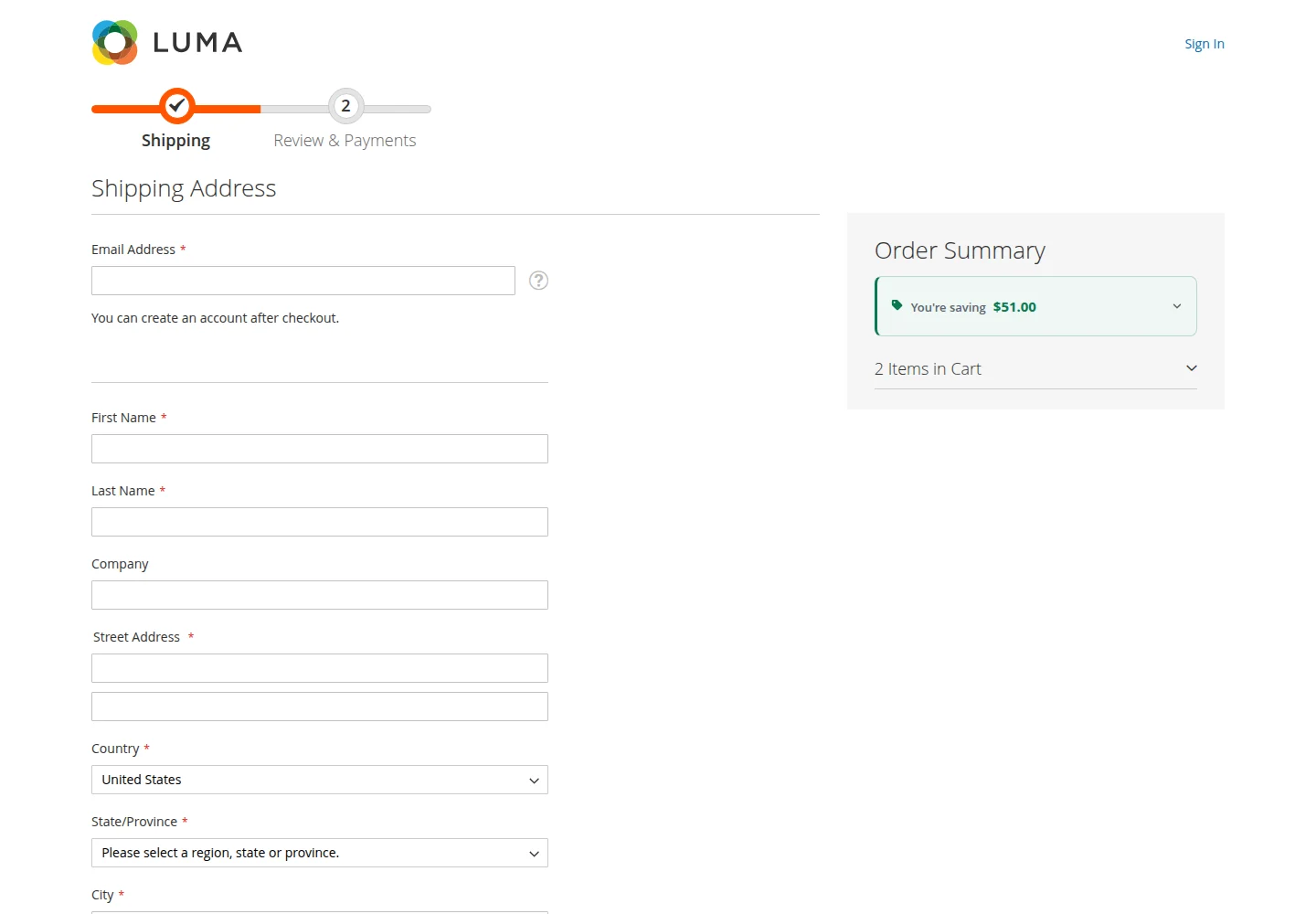
Checkout order summary with a compact 'You're saving $51.00' card at the top

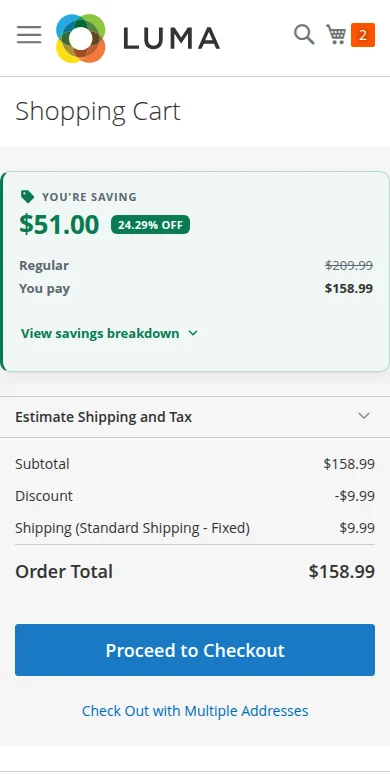
Built for phones first

On small screens the card stays readable and tappable, with touch targets sized for thumbs and motion that respects reduced-motion settings.

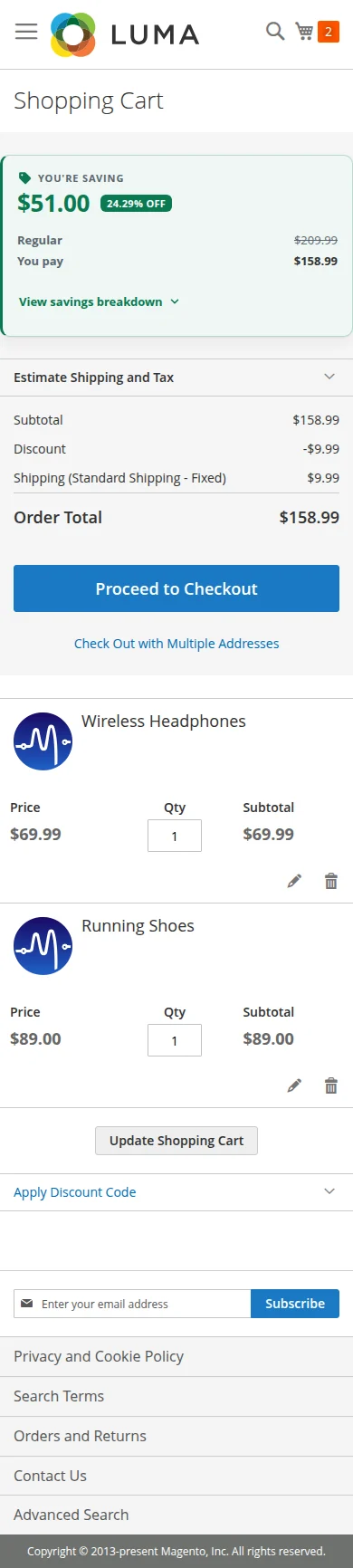
Luma mobile cart with the savings card shown above the order totals

You decide what it says and where it goes

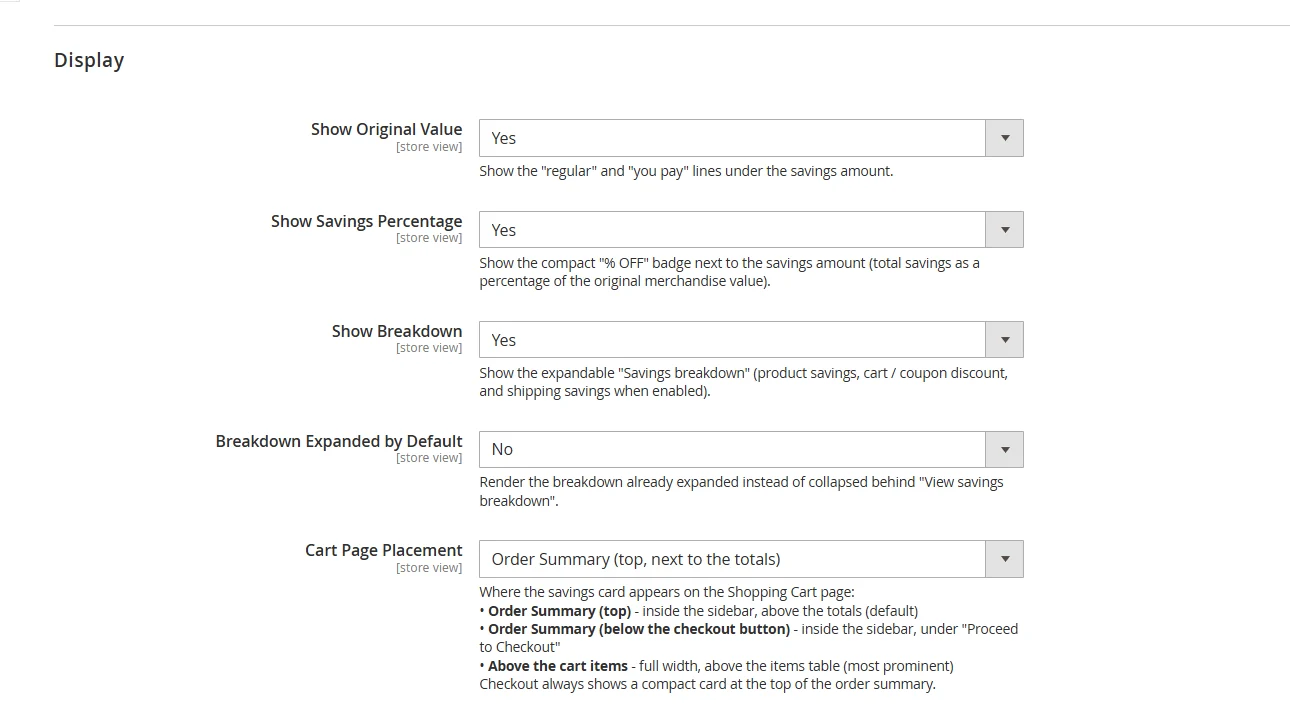
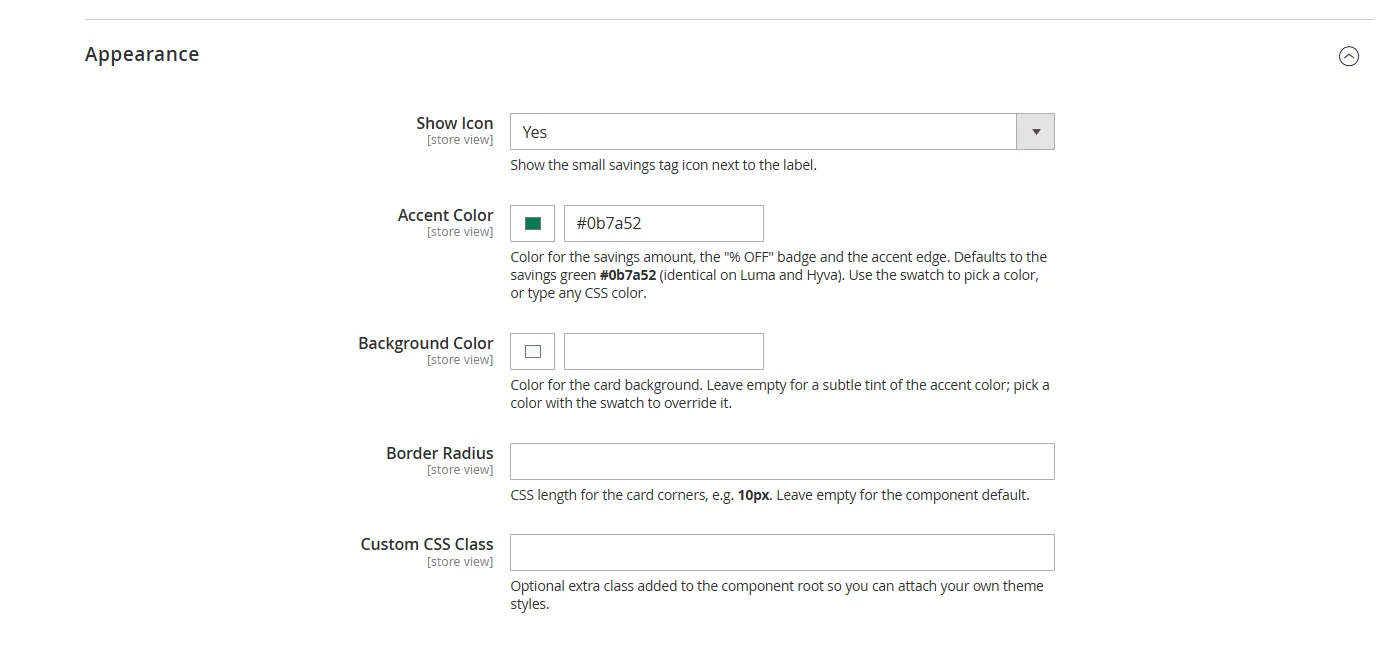
Choose the placement (top of the summary, below the checkout button, or above the cart items), the text, the accent colour, and a minimum amount before it appears. Every text and appearance field is set per store view.

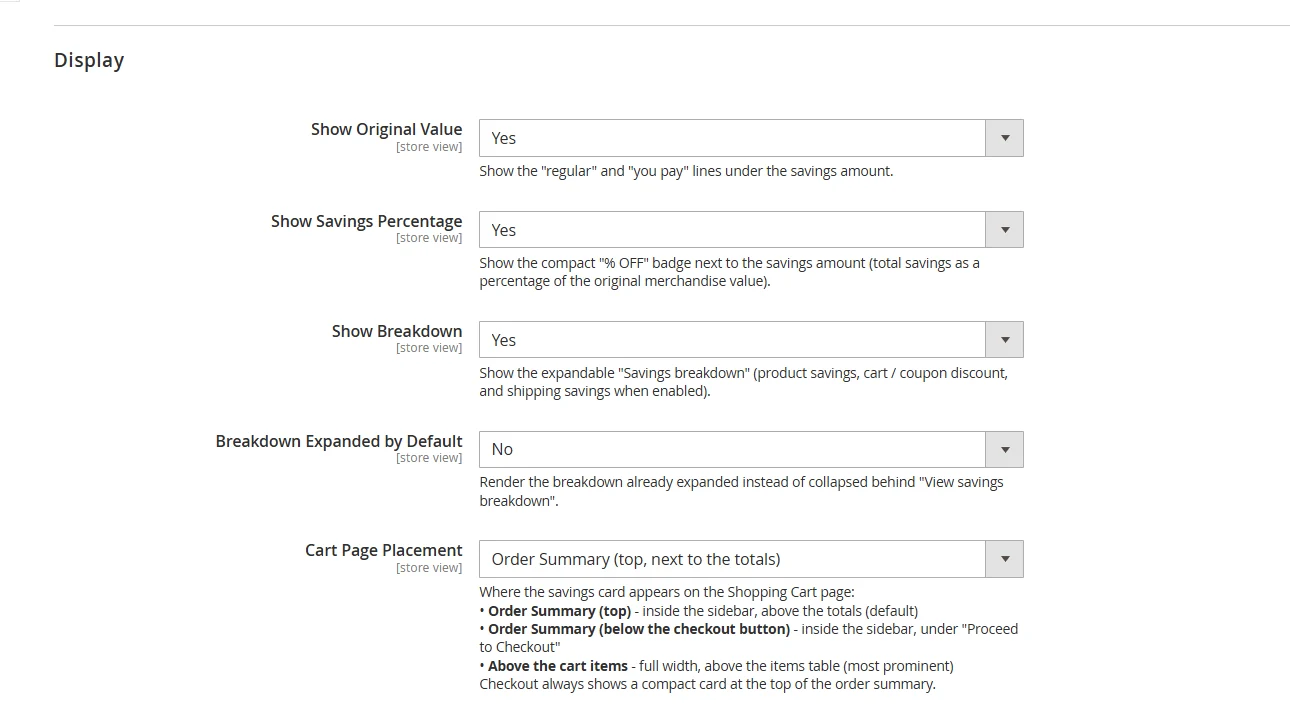
Admin configuration screen with display options: show original value, show savings percentage, show breakdown, cart page placement

Luma and Hyvä

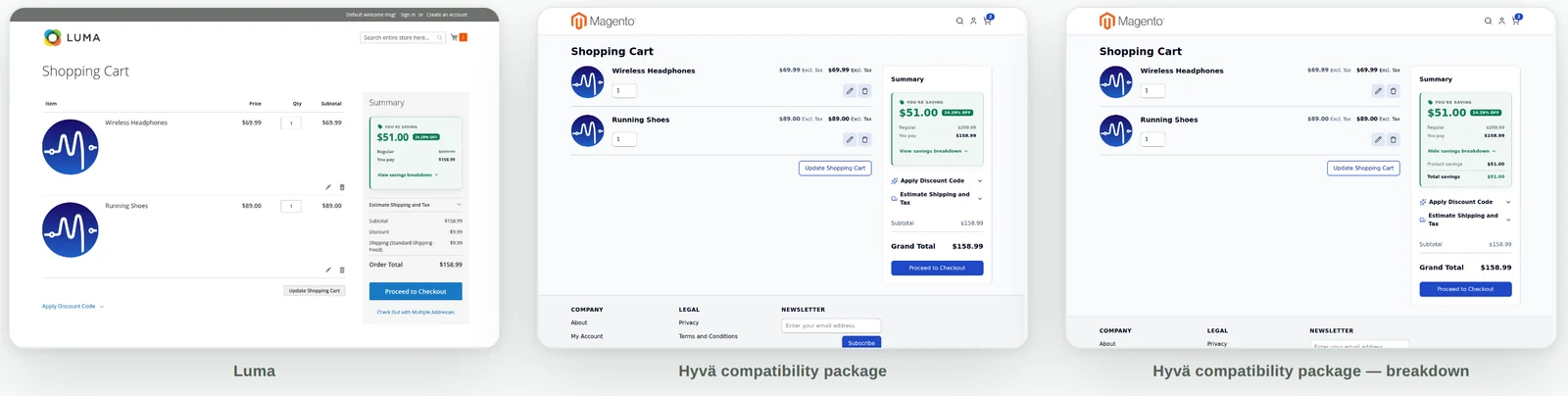
Same card on Luma and Hyvä

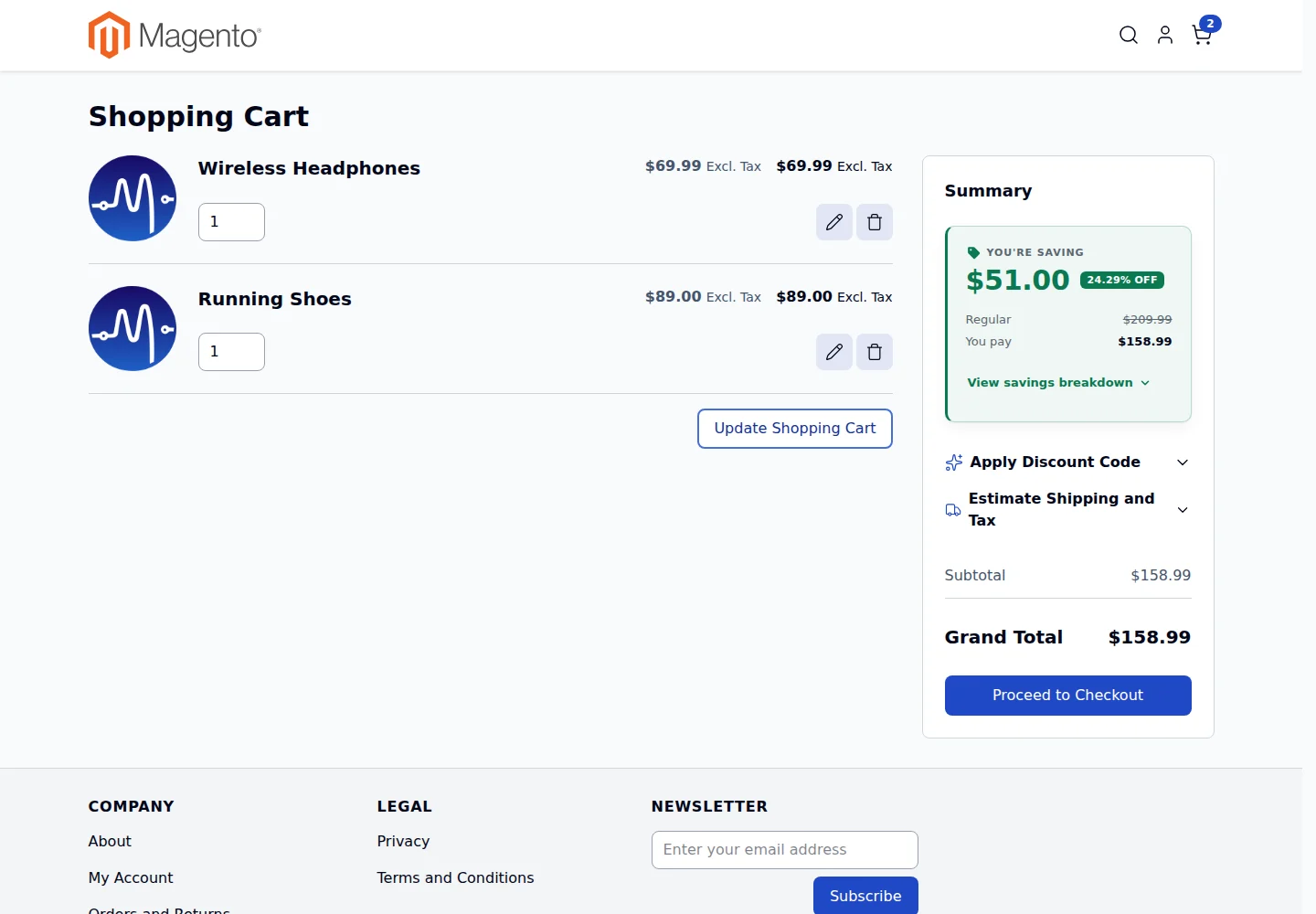
One calculation engine, two thin presentation layers. Luma uses Knockout, Hyvä uses Alpine.js, and both read the same server-side figures, so the numbers always match.

Side by side: the savings card on a Luma cart, a Hyvä cart, and a Hyvä cart with the breakdown open

Screenshots

See it on real stores

Real screenshots from Magento 2.4.9 test stores. Click any image to enlarge it.

How it works

Live in three steps

  1. Install

    Add the core module with Composer. On a Hyvä store, add the free Hyvä package too.

  2. Configure

    Open Stores › Configuration › MageEnv › Total Savings. Sensible defaults work out of the box.

  3. Shoppers see their savings

    The card updates on every cart change: quantity, coupon, shipping estimate, store or currency switch.

What counts as a saving

Clear rules, so the number shoppers see is always one you can stand behind.

Counted

  • Special prices
  • Catalog price rules
  • Tier and customer group prices
  • Cart price rules and coupons
  • Free or discounted shipping (optional)

Never counted

  • Tax
  • Gift cards, store credit, reward points
  • Payment method adjustments
  • Normal paid shipping

Compatibility

Works with your stack

We only claim what we've tested. Where something is expected to work but wasn't tested, we say so.

Total Savings compatibility
PlatformSupportNotes
Magento Open Source 2.4.7 – 2.4.9 Verified on 2.4.9
Adobe Commerce (on-prem and cloud) 2.4.7 – 2.4.9 Expected compatible, not independently tested
PHP 8.2, 8.3, 8.4, 8.5 Verified on 8.3
Luma theme Supported Included in the core module
Hyvä theme Supported Free Hyvä package, browser-tested
Hyvä Checkout Not supported The standard checkout on Hyvä stores is supported
Multi-store and multi-currency Supported Calculated in base currency, shown in display currency

Installation

Install with Composer

After you buy, the Adobe Commerce Marketplace gives you access keys for repo.magento.com. Then run:

  1. Core module

    composer require mageenv/module-total-savings
  2. Hyvä stores only: add the free Hyvä package

    composer require mageenv/module-total-savings-hyva
  3. Enable it

    bin/magento setup:upgrade && bin/magento cache:flush

    In production mode, also run setup:di:compile and setup:static-content:deploy.

FAQ

Questions merchants ask

Does it change my prices or discounts?

No. Total Savings only reads the totals Magento has already calculated and shows them. It never applies discounts or changes the quote.

Do I need the Hyvä package?

Only if your store uses the Hyvä theme. Install the free Hyvä package in addition to the core module. Luma stores need only the core module.

Does it work with Hyvä Checkout?

Not in this version. On Hyvä stores that use the standard Magento checkout, the checkout card works as normal. Hyvä Checkout is a separate commercial product and is not supported yet.

Why do configurable products show no product savings?

Magento records the regular price of a configurable product on the parent and the charged price on the child, so the two can't be compared reliably. To avoid showing a fake saving, product savings for configurable, grouped and dynamic-price bundle items count as zero. Their coupon and cart rule discounts are still counted.

Can I hide it for small savings?

Yes. Set Minimum Savings Required and the card stays hidden until the saving reaches that amount. It never shows "You're saving $0".

Does it slow down my store?

It uses Magento's own customer-data section, so there are no extra requests while the cart is idle. In Checkout it refreshes only its own section when totals change.

Will it conflict with my theme's cart template?

It doesn't override any core cart template. It renders into its own layout block in the placement you choose.

Changelog

Release history

  1. v1.2.0 Latest
    • Redesigned savings card: amount first, % OFF badge, Regular to You pay comparison
    • New cart placement option: below the checkout button
    • Compact checkout card and an always-visible mobile checkout strip
    • Admin colour pickers for accent and background colours
    • Accessibility improvements: keyboard, focus, ARIA, reduced motion, touch targets
    • Better Luma and Hyvä visual parity
  2. v1.1.0
    • Description text now empty by default
    • Show Savings Percentage now controls the % OFF badge
  3. v1.0.0
    • Initial release: savings engine, Cart and Checkout display for Luma, admin configuration

Documentation

A full PDF user guide covers installation, every setting and how savings are calculated. It's included with your purchase.

Support

Email support from the developers who wrote the code. We reply within 1 business day. info@mageenv.com