One screen that says what needs attention
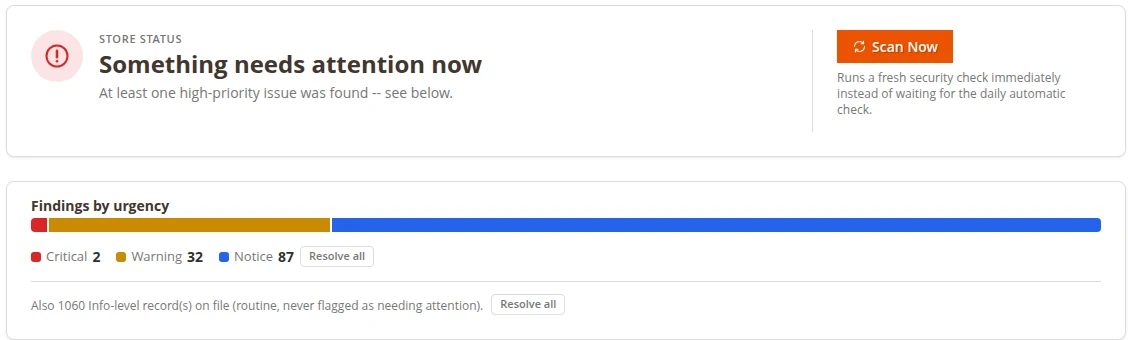
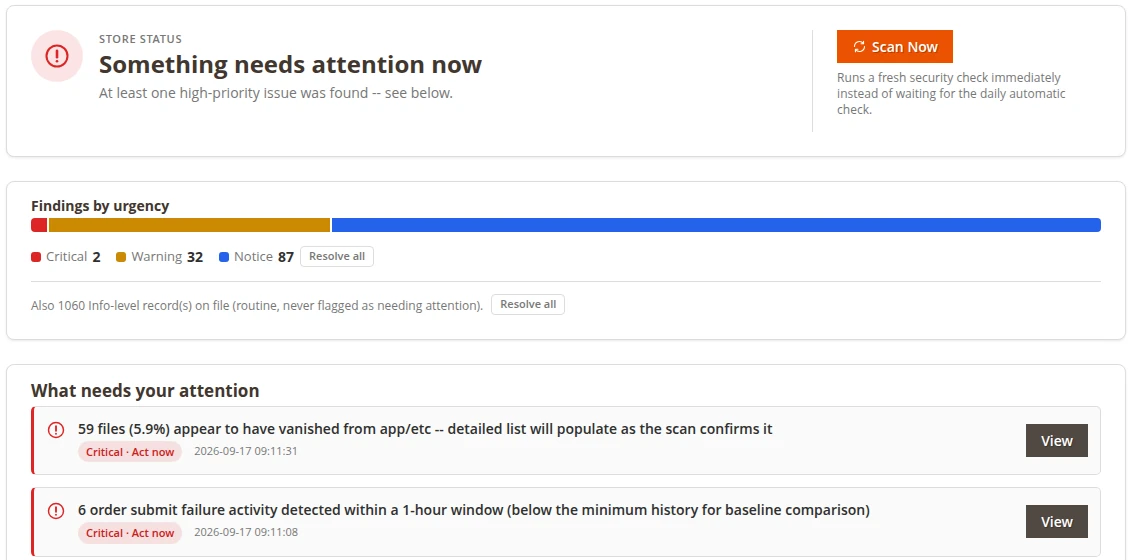
The dashboard leads with your store's status and groups findings by urgency: Critical, Warning, Notice. Routine records stay out of the way, and lower-severity items can be cleared in one click.

 Magento 2 extension · Security
Know when something important changes on your Magento store.
Why it matters
A file changes after a deployment, cron quietly stops, a new admin account appears, payments start failing at 2am. Magento doesn't tell you. You find out from a customer or a drop in sales. Store Guardian watches for the changes that matter and tells you in plain language, with what to check next.
Features
The dashboard leads with your store's status and groups findings by urgency: Critical, Warning, Notice. Routine records stay out of the way, and lower-severity items can be cleared in one click.
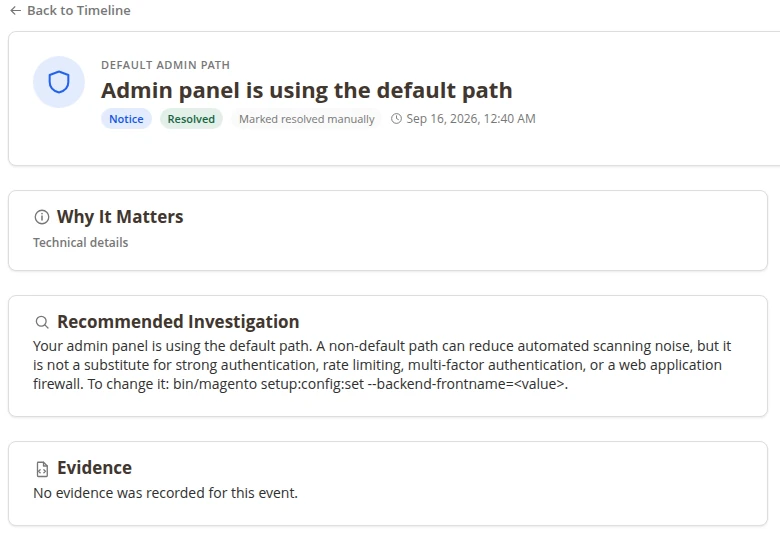
Open any finding to see what happened, why it matters and a recommended next step, including the exact command where one helps. Then Acknowledge it, Resolve it, or Re-check whether the condition is still there.
Store Guardian flags shared admin logins, the default admin URL, database dump files left in public folders, and (if you turn it on) suspicious content in CMS pages, blocks and email templates.
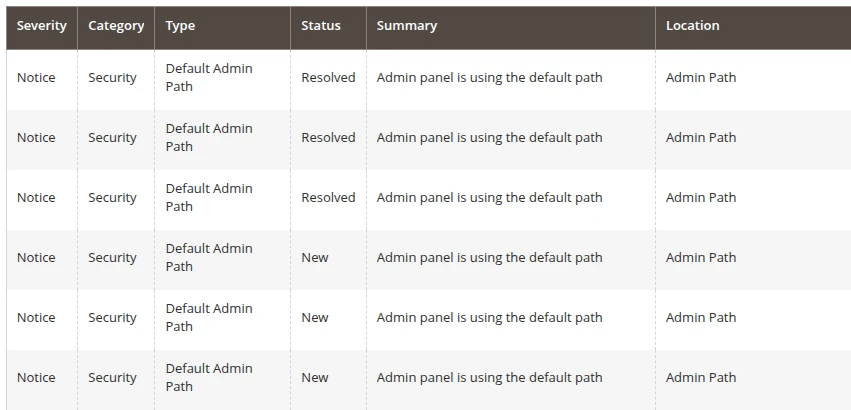
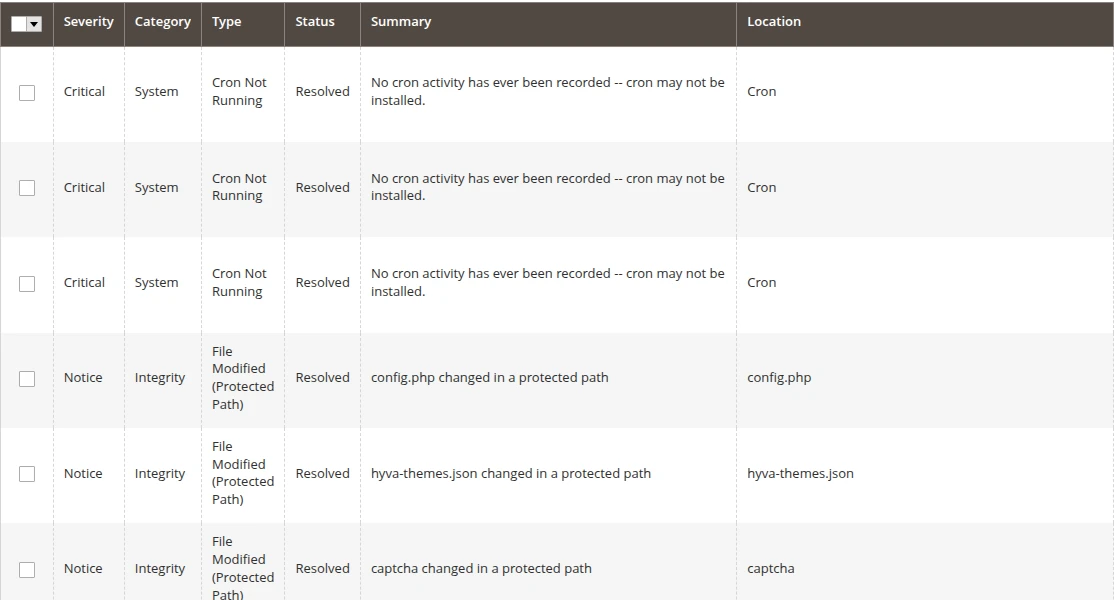
Every finding is recorded with severity, category, type, status, location and time. Filter by any of them, or bulk-acknowledge and resolve many findings at once.
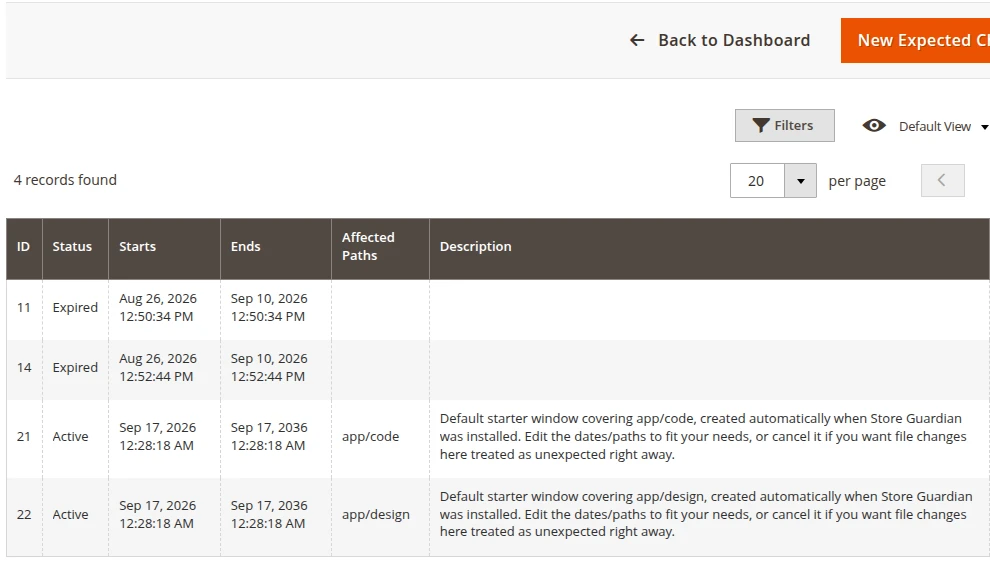
Declare an Expected Change Window before a deployment and activity in those paths is recorded without full-severity alerts. Windows also open and close automatically with Magento's maintenance mode.
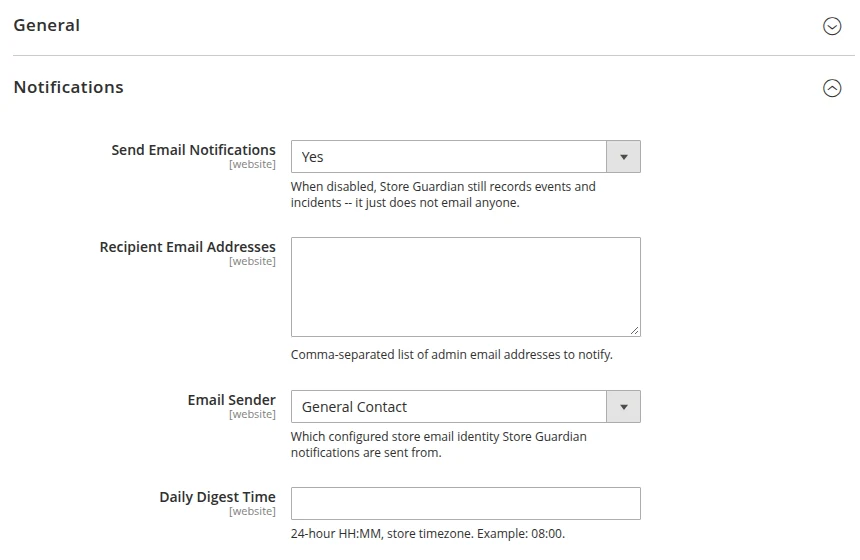
Warning and Critical findings are emailed within minutes. Everything else arrives as one daily digest at the time you choose. Pick the recipients and the store email identity it's sent from.
What it watches
File checks run every 5 minutes, health and activity checks every 10 minutes, security checks daily or whenever you press Scan Now.
New or disabled admin users, role changes, configuration edits, product status, mass updates and price changes.
Files created, changed or deleted in protected folders, suspicious executable files, mass deletions and critical files removed.
Unusual spikes in registrations or password resets, compared with your store's own normal pattern.
Order submission and payment failures, one by one and as unusual failure rates.
Cron jobs failing or not running, indexers stuck as invalid, and maintenance mode switching on or off.
Shared admin logins, the default admin path, exposed SQL dump files and (optional) suspicious database content.
Screenshots
Real screenshots from Magento 2.4.9 test stores. Click any image to enlarge it.
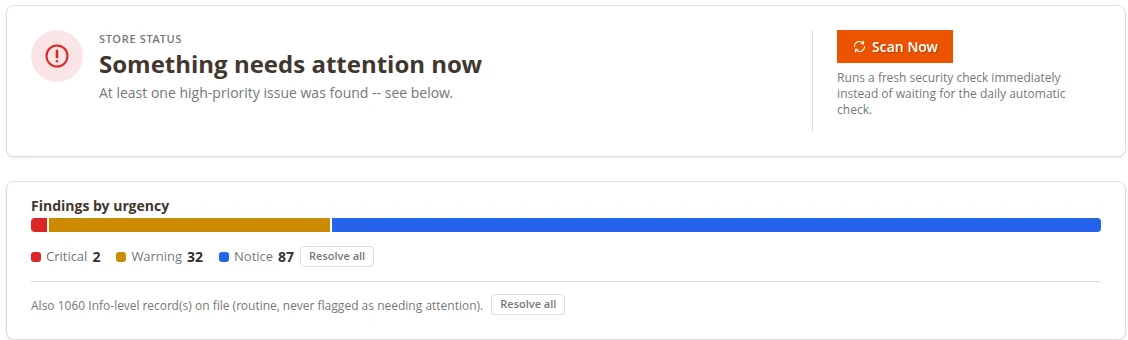
Dashboard: store status, findings by urgency and what needs attention
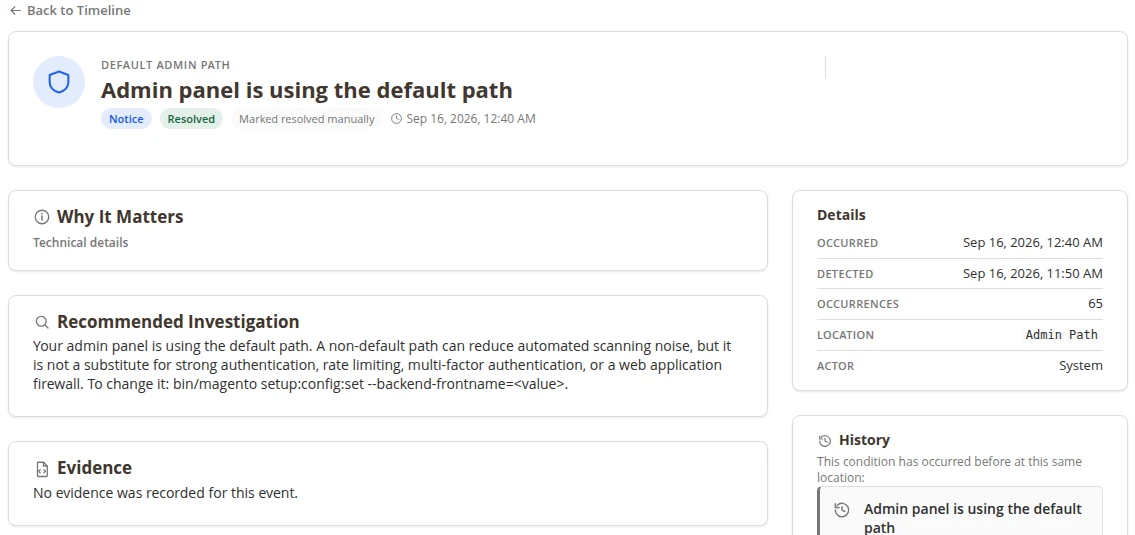
Event Details: why it matters, next step and history
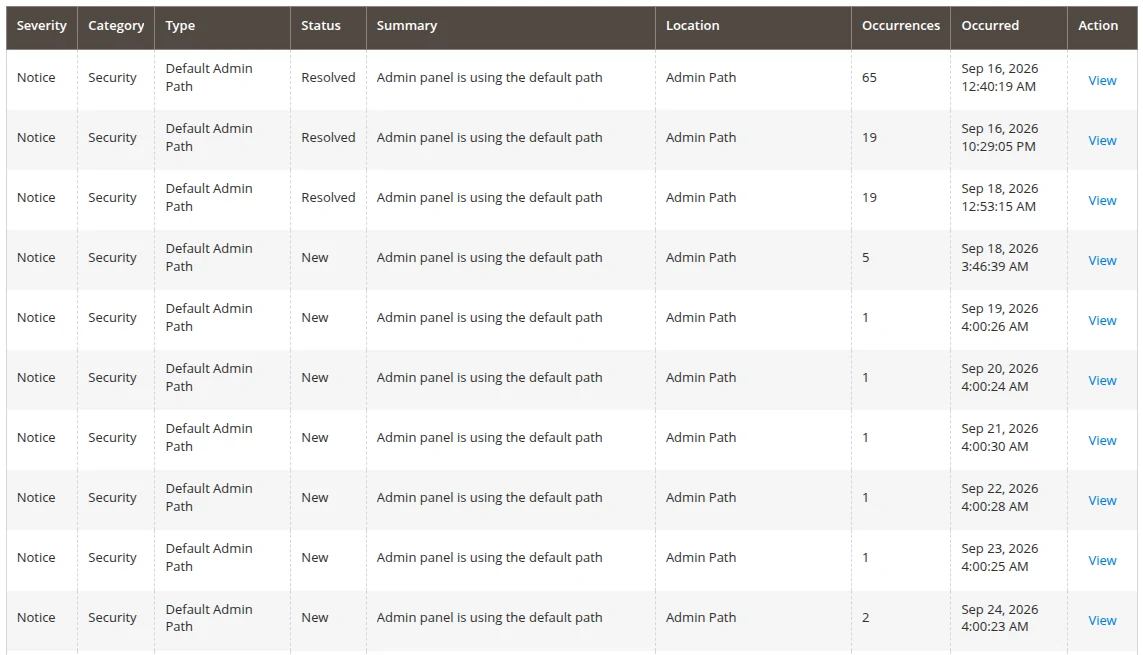
Security & Integrity, filtered to security findings
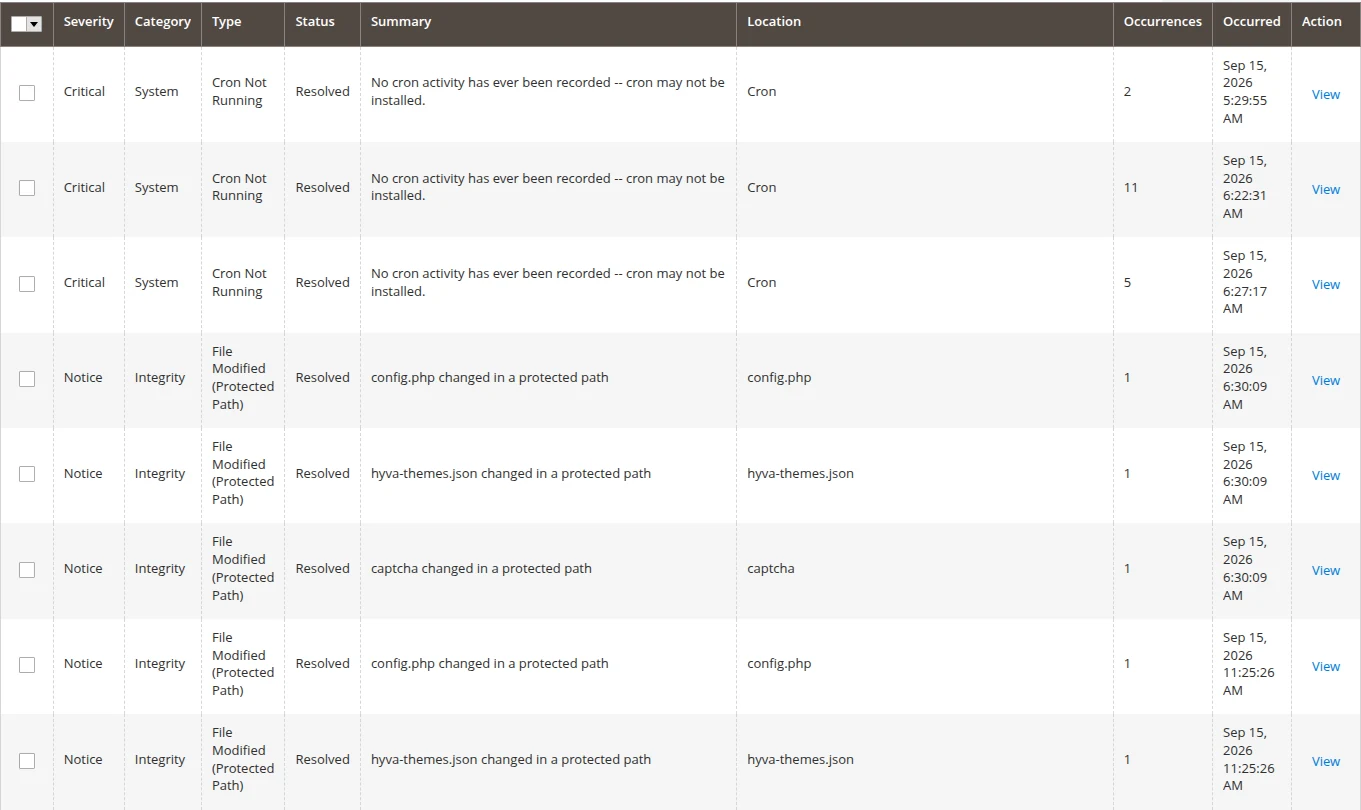
Timeline: every finding, filterable
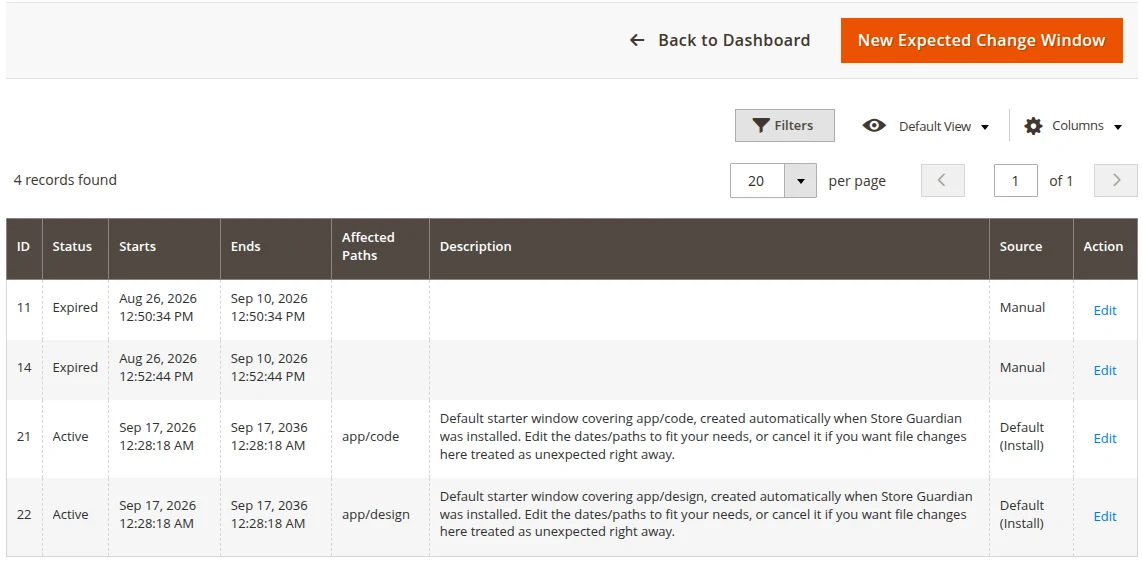
Expected Change Windows
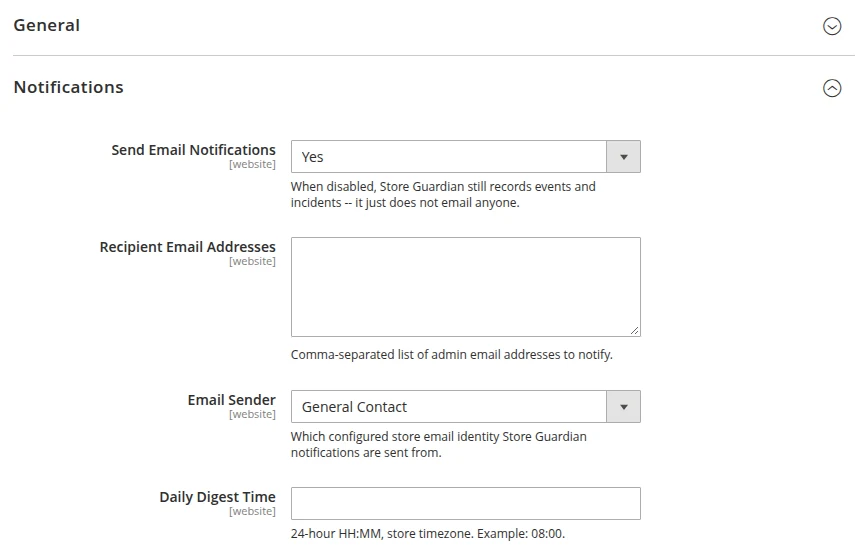
Notification settings
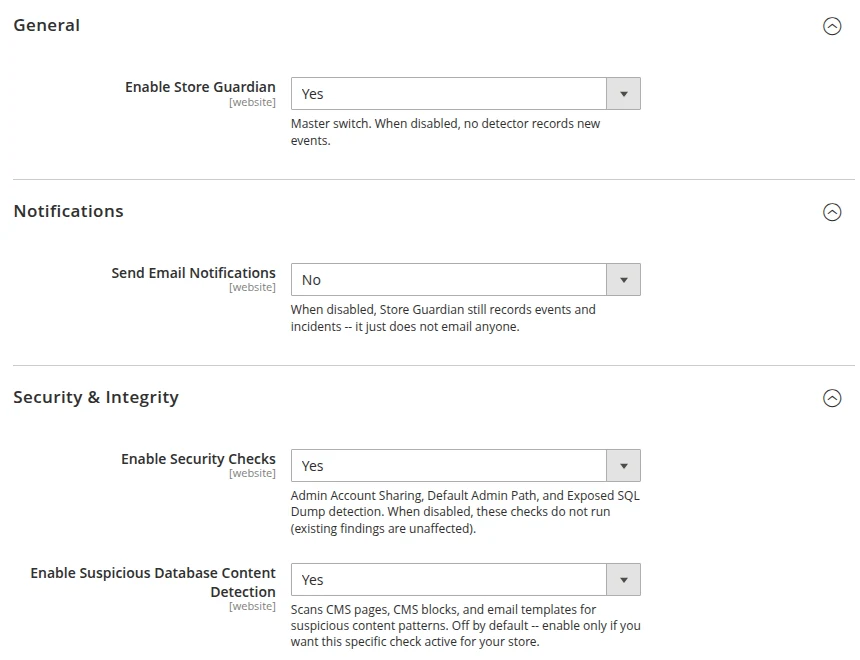
General, notification and security settings
How it works
Add the module with Composer and run setup:upgrade. It works with any storefront theme because it only lives in the admin.
Open Stores › Configuration › MageEnv › Store Guardian, add recipient emails and choose the daily digest time.
Check the dashboard, open a finding, follow the recommended next step, then acknowledge or resolve it.
It's an early-warning layer that tells you when something worth your attention happens. It doesn't replace your other security tools.
Compatibility
We only claim what we've tested. Where something is expected to work but wasn't tested, we say so.
| Platform | Support | Notes |
|---|---|---|
| Magento Open Source | 2.4.9 | Verified |
| Magento Open Source | 2.4.7 – 2.4.8 | Allowed by Composer, not tested yet |
| Adobe Commerce | 2.4.x | Not tested yet |
| PHP | 8.3 | Verified |
| PHP | 8.4, 8.5 | Code checked for compatibility, not tested on a live store |
| Storefront theme | Any | Admin only: Luma, Hyvä or custom themes are not affected |
| Magento cron | Required | Checks and email alerts run on Magento's cron |
Installation
After you buy, the Adobe Commerce Marketplace gives you access keys for repo.magento.com. Then run:
composer require mageenv/module-store-guardian
bin/magento setup:upgrade && bin/magento cache:flush
In production mode, also run setup:di:compile and setup:static-content:deploy.
FAQ
No. It tells you when something important changes or goes wrong on your store, so you can look at it quickly. It doesn't remove malware, block attacks or scan for known vulnerabilities. Use it alongside those tools, not instead of them.
It adds nothing to your storefront pages. Most checks run in the background on Magento's cron, and it listens to a few events such as admin saves, orders and customer registrations without changing what they do.
Create an Expected Change Window for the paths you're changing. Activity there is still recorded but isn't treated as a full-severity alert. If you use Magento's maintenance mode, a window opens and closes automatically.
No. Only Warning and Critical findings are emailed right away. Everything else is collected into one daily digest. A condition that keeps happening updates the same open finding instead of creating duplicates.
Yes. The scheduled checks and email notifications run on Magento's cron. Store Guardian will also tell you if cron stops running.
No. Scheduled cleanup jobs remove old records so the history doesn't grow without limit.
Yes. Store Guardian only adds admin screens, so it works the same whatever storefront theme you use.
Changelog
A full PDF user guide covers installation, every screen, what each finding means and a quick-start checklist. It's included with your purchase.
Email support from the developers who wrote the code. We reply within 1 business day. info@mageenv.com
 Coming soon
Conversion
A clean savings card on the Cart page and in Checkout that adds up special prices, catalog rules, tier prices and coupons into one clear number. Built for Luma and Hyvä.
US$25.99 + free Hyvä add-on
 Available now
Conversion
A configurable milestone progress bar in the Mini Cart and on the Cart page: "Add $28 more to get FREE SHIPPING" or tiered rewards like "Add $7 more to unlock 10% OFF". Built for Luma and Hyvä.
US$29.99 + free Hyvä add-on